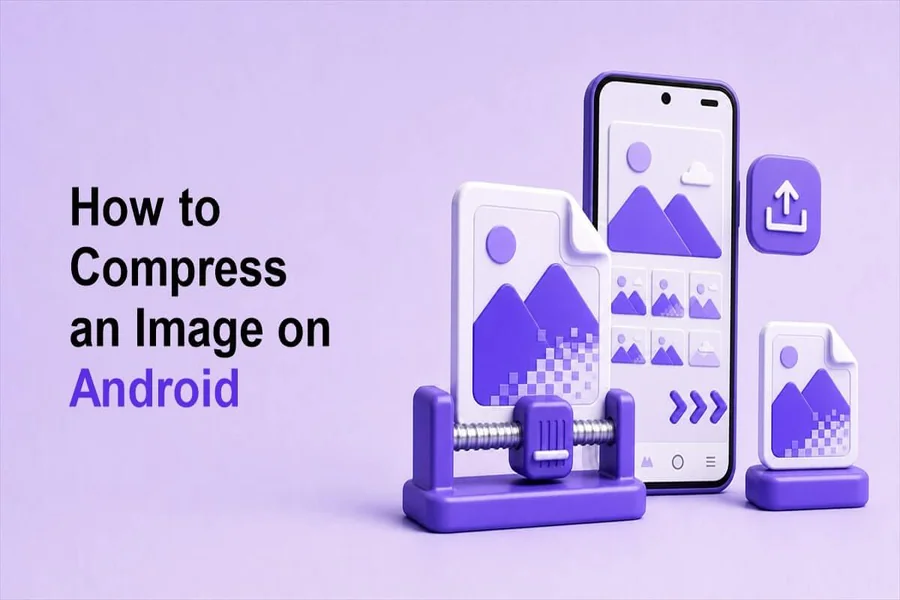
Android smartphones have become essential tools for everyday life. From managing work and staying connected with friends to capturing memorable moments and enjoying mobile entertainment, most people rely on their devices for far more than making calls. However, as apps become more advanced and smartphone cameras produce increasingly detailed images, storage space and device performance can quickly become concerns.
For readers who enjoy exploring mobile technology, apps, and practical digital solutions, understanding how to manage image files is a useful skill. One simple way to reduce the amount of space photographs occupy is to use a reliable JPG compressor, which helps shrink image file sizes while retaining useful visual quality. This can make sharing pictures, uploading files, and managing digital content considerably easier.
Why Image File Sizes Matter on Android Devices
Modern Android smartphones often feature impressive cameras capable of capturing high-resolution photographs. While this is excellent for photography enthusiasts, detailed images can consume a surprising amount of storage.
Consider someone who regularly takes pictures of family gatherings, holidays, food, pets, or everyday activities. A single photograph might not take up much space, but hundreds or thousands of images can gradually fill the device’s internal storage.
When storage becomes limited, users may experience several inconveniences:
- Difficulty installing new applications or updates.
- Less available space for videos and important documents.
- Problems downloading files from websites.
- Reduced flexibility when taking additional photographs.
- More time spent deleting unwanted content.
Managing image sizes is therefore a practical part of maintaining an organized Android device.
Understanding Image Compression
Image compression is the process of reducing the amount of digital information required to store an image. The main objective is to create a smaller file that remains visually useful.
There are two common approaches to image compression: lossy and lossless.
Lossy compression reduces file size by removing certain image information. When applied carefully, the visual differences may be difficult to notice, particularly when viewing photographs on a smartphone screen.
Lossless compression reduces file size without permanently discarding image information. The original visual data can be reconstructed, although the amount of compression achieved may be more limited.
For everyday Android users, the best approach depends on how an image will be used. A photograph intended for social media may not need the same level of detail as an image being prepared for professional printing.
The important thing is to balance file size with image quality.
How Smaller Images Make File Sharing Easier
One of the biggest advantages of image compression is faster and more convenient sharing.
Imagine trying to send several high-resolution photographs through a messaging application while using a mobile data connection. Large attachments can take longer to upload, particularly when network coverage is inconsistent.
Smaller image files can make this process smoother.
This is especially useful when:
- Sending photographs through messaging applications.
- Sharing images through email.
- Uploading pictures to websites.
- Submitting photographs through online forms.
- Sharing multiple images with friends or colleagues.
For example, someone applying for a job might need to upload a profile photograph or supporting documents. If the website has a maximum file-size requirement, compressing the image beforehand can help avoid unnecessary upload errors.
The same principle applies to students submitting assignments, professionals sharing presentations, and individuals uploading photographs to online platforms.
Choosing the Right Apps for Your Android Device
Android offers an extensive selection of applications for photography, file management, editing, and productivity. However, installing too many apps can create unnecessary clutter.
Instead of downloading several tools that perform similar functions, think about what you actually need.
For image management, useful features include:
Basic editing: Cropping, rotating, adjusting brightness, and improving contrast can help prepare photographs before sharing.
Compression options: Look for tools that allow you to adjust image quality or select a preferred output size.
Format compatibility: Make sure the application supports commonly used image formats.
Batch processing: If you regularly work with large collections of photographs, the ability to process several files at once can save considerable time.
Privacy protection: Review the application’s privacy policy and understand whether images are processed locally or uploaded to an external server.
A trustworthy application should make everyday tasks easier without demanding unnecessary permissions or collecting information unrelated to its purpose.
Practical Ways to Free Up Android Storage
Image compression is useful, but it should be part of a broader storage-management routine.
If your smartphone is running low on space, consider these practical steps.
1. Remove Duplicate Photographs
Duplicate images often accumulate when users download the same photograph several times or save edited versions without deleting the originals.
Review your gallery periodically and remove copies you no longer need.
Be careful with automatic cleanup tools. Always check which files are being selected before confirming deletion.
2. Review Downloaded Files
The Downloads folder can become surprisingly crowded.
Old documents, installation packages, images, and temporary files may remain on your device long after they have served their purpose.
Open your file manager and remove anything that is no longer needed.
3. Back Up Important Photographs
Before deleting large collections of images, make sure important memories are safely backed up.
Cloud storage services and external storage devices provide convenient options for keeping additional copies.
A backup is particularly important for photographs that cannot easily be replaced, such as family events, travel memories, and personal documents.
4. Clear Unnecessary Application Data
Some applications accumulate temporary files over time.
Android provides storage-management options that can help identify applications using significant amounts of space.
You can review these settings through your device’s storage or application management menu. Be cautious when clearing application data, as doing so may remove saved preferences, downloaded content, or account information.
5. Avoid Keeping Multiple Versions of Every Image
Editing photographs can produce several versions of the same picture.
Rather than keeping every temporary copy, select the final version you want to preserve and organize older files accordingly.
This simple habit can prevent unnecessary storage consumption.
Protecting Image Quality During Compression
Reducing file size is useful, but poor compression can make photographs look noticeably worse.
This is particularly important when working with images containing small text, fine details, or important visual information.
For better results, keep the following tips in mind:
- Avoid repeatedly compressing the same image.
- Keep an original copy of important photographs.
- Compare image quality before and after compression.
- Use higher quality settings when details matter.
- Choose smaller file sizes for images intended mainly for casual online sharing.
For example, a photograph of a holiday landscape may look perfectly acceptable after moderate compression. However, an image containing a product label or important document may require greater clarity.
There is no universal compression setting that works for every situation. The right choice depends on the intended use.
Why Reliable Technology Resources Matter
The Android ecosystem changes constantly. New applications appear, existing tools receive updates, and smartphone manufacturers introduce different features with each generation of devices.
For users who want to make informed decisions, having access to straightforward technology information is valuable.
Resources such as APK Pro Techs can help readers explore Android-related topics, discover useful applications, and learn more about mobile technology.
However, it is equally important to approach app downloads carefully. Always check the source of an installation file, review requested permissions, and make sure the software comes from a trustworthy provider.
Avoid installing unfamiliar applications simply because they promise dramatic performance improvements. A little research can help protect your device and personal information.
Conclusion
Getting the most out of an Android smartphone involves more than installing the latest applications. Simple habits such as organizing photographs, managing storage, choosing suitable file formats, and reducing unnecessary file sizes can make everyday mobile tasks much easier.
By understanding image compression and using reliable digital tools, you can save storage space, simplify file sharing, and keep your device better organized. Small improvements like these can make a noticeable difference in your overall Android experience.





Leave a Reply