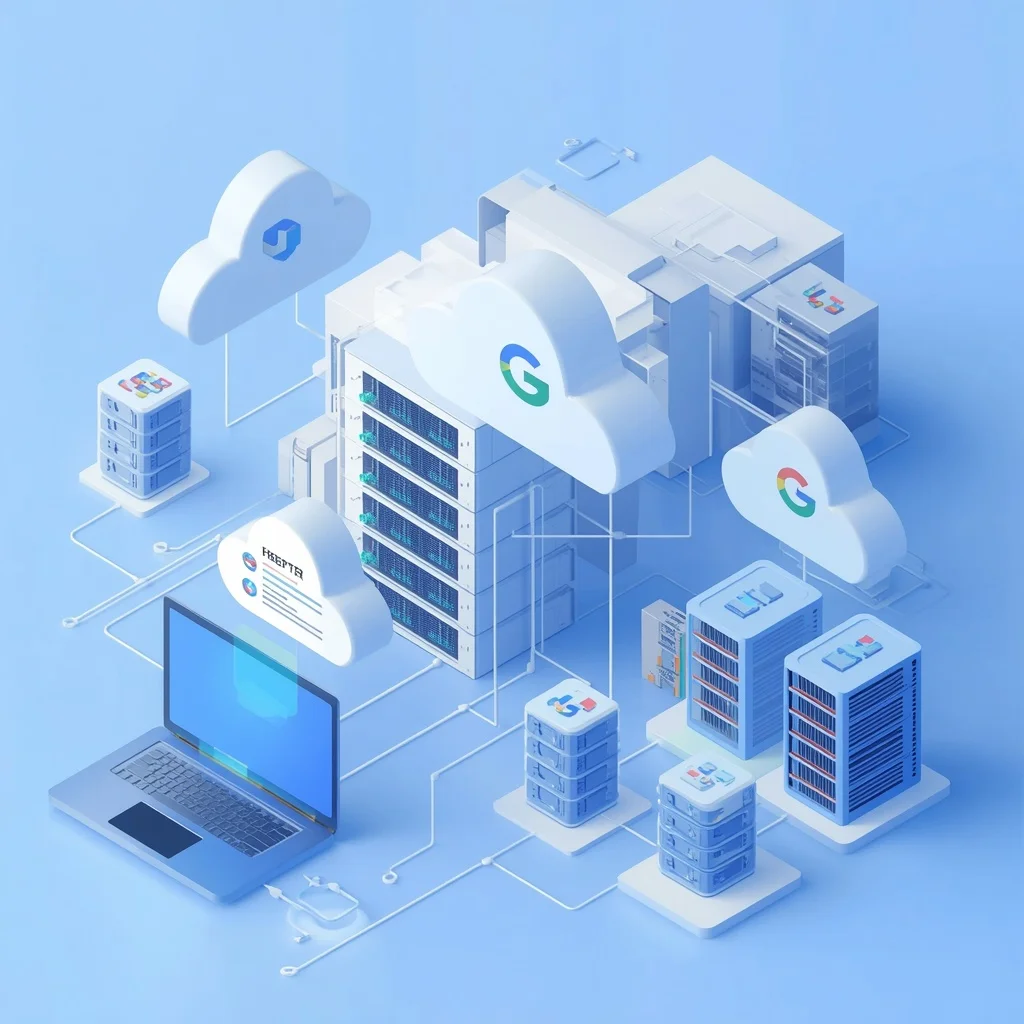
Google Cloud provides cloud computing services for developers, students, startups, businesses, and people who want to experiment with online infrastructure. Some Google Cloud products can be used at no charge within specified limits through the Google Cloud Free Tier.
The Free Tier can be useful for learning cloud computing, testing applications, running small development projects, experimenting with virtual machines, and understanding how cloud infrastructure works.
However, free cloud services are not the same as unlimited cloud services. Each product has specific usage limits, eligibility requirements, and conditions. Exceeding a free allowance can result in charges if billing is enabled.
This guide explains the Google Cloud Free Tier, free compute options, important limitations, billing considerations, and practical ways to use Google Cloud without unexpected costs.
What Is the Google Cloud Free Tier?
The Google Cloud Free Tier is a collection of Google Cloud products and usage allowances that can be used at no charge when the applicable requirements and limits are met.
Google separates its free offerings into different types. Some services provide monthly free usage within specific limits, while new customers may also be eligible for introductory credits under Google’s current terms.
The exact products, quotas, regions, and eligibility rules can change, so users should always check Google’s official Free Program documentation before starting a new project.
Official resource:
Google Cloud Free Tier vs Free Trial
The Google Cloud Free Tier and Google Cloud’s introductory trial are not exactly the same thing.
Free Tier
The Free Tier provides certain services or usage amounts at no charge when the usage stays within the applicable limits.
Free Trial
Eligible new Google Cloud customers may receive promotional credits for a limited period under Google’s current trial terms.
A promotional credit is different from a permanent monthly free allowance.
This distinction is important because users sometimes assume that every Google Cloud service remains free indefinitely. That is not the case.
Is Google Cloud Free?
Google Cloud has free services and free usage allowances, but Google Cloud as a whole is not completely free.
Cloud services normally have usage-based pricing. Compute resources, storage, networking, databases, and other services can generate charges when usage exceeds applicable free allowances.
For this reason, users should check the pricing page and Free Tier documentation before deploying a project.
Google Cloud pricing:
Google Cloud Free Compute
Compute is one of the most useful parts of Google Cloud for developers.
Google Cloud provides several ways to run applications and workloads, including virtual machines and managed compute services.
The most familiar option is Google Compute Engine.
What Is Google Compute Engine?
Google Compute Engine is an infrastructure service that allows users to create and run virtual machines on Google’s infrastructure.
A virtual machine can be used for many purposes, including:
- Hosting websites
- Running development environments
- Testing applications
- Learning Linux administration
- Running backend services
- Hosting APIs
- Experimenting with cloud infrastructure
Compute Engine offers different machine types, operating systems, disks, networking configurations, and regions.
Not every configuration qualifies for a free allowance.
Free Compute Engine Usage
Google’s Free Tier has historically included limited Compute Engine usage for eligible configurations and locations.
The important point is that free compute depends on the specific machine type, region, usage allowance, and other applicable conditions.
Users should not assume that creating any Compute Engine virtual machine will automatically make it free.
Before creating a VM, check:
- Machine type
- Region
- Operating system
- Disk type
- Disk size
- Network usage
- Current Free Tier eligibility
- Current pricing
The official Compute Engine pricing documentation should be treated as the final reference because Google can change available products and pricing.
What Can You Do With Free Cloud Compute?
Free or promotional cloud compute can be useful for learning and small projects.
Learn Linux
A virtual machine can provide a practical environment for learning Linux commands, package management, permissions, SSH, services, and server administration.
Test Websites
Developers can use a small virtual machine to experiment with web servers and application deployments.
Build APIs
A lightweight backend API can be deployed to a cloud environment for development and testing.
Learn Cloud Administration
Working with virtual machines helps beginners understand:
- IP addresses
- Firewalls
- SSH
- Storage
- Machine types
- Regions
- Monitoring
- Resource management
Test Development Projects
Developers can use cloud resources to test applications before moving them into larger production environments.
Google Cloud Free Tier Eligibility
Free Tier eligibility depends on the specific Google Cloud product and its terms.
Some free usage is available to eligible users generally, while promotional programs may have separate requirements.
Users should review the current Google Cloud Free Program terms before relying on a particular service for a long-term project.
Eligibility can also depend on account status, product, location, and whether the usage falls within the stated limits.
Does Google Cloud Require a Credit Card?
Google may require a valid payment method for certain Google Cloud sign-up or billing arrangements.
Providing a payment method does not automatically mean that every service will generate a charge.
However, users should understand that Google Cloud is a paid cloud platform and that charges can occur when billable usage exceeds free allowances or when paid services are used.
Always review the current sign-up requirements and billing terms during account creation.
Google Cloud Billing
Understanding billing is one of the most important parts of using Google Cloud.
Google Cloud uses usage-based billing for many services. Depending on the service, you may be charged for resources such as:
- Compute usage
- Storage
- Network traffic
- Static IP resources
- Databases
- Managed services
- Additional infrastructure
A project can contain multiple resources, so deleting only one resource may not necessarily stop all possible charges.
How to Avoid Unexpected Google Cloud Charges
Beginners should take a few precautions before launching cloud resources.
Check Pricing Before Creating Resources
Open the pricing information for the service and configuration you intend to use.
Do not assume that a resource is free simply because another Google Cloud service has a Free Tier.
Choose the Correct Region
Some free allowances apply only to specific regions or locations.
Selecting another region can change the pricing or eligibility.
Monitor Your Usage
Google Cloud provides billing and monitoring tools that can help you understand resource consumption.
Regularly check your projects and billing information.
Delete Resources You No Longer Need
Unused virtual machines, disks, IP addresses, databases, and other resources can potentially create charges depending on their configuration.
When a test project is finished, review the resources and remove those that are no longer required.
Set Budgets and Alerts
Google Cloud provides tools for creating budgets and monitoring spending.
A budget can help you track costs and receive notifications when spending approaches specified thresholds.
It is important to understand that a budget alert is not necessarily the same as an automatic spending shutdown.
Google Cloud Free Tier Limits
Free usage always comes with limits.
These limits may apply to:
- Amount of compute time
- Machine type
- Region
- Storage capacity
- Network usage
- API requests
- Number of resources
- Account eligibility
- Time period
For example, having a free monthly compute allowance does not mean you can run unlimited virtual machines.
The actual allowance should always be checked on Google’s current Free Tier page.
Can You Host a Website on Google Cloud for Free?
A small website may be possible within applicable free allowances, depending on the architecture and services used.
However, website hosting can involve several different resources.
A basic deployment might use:
- Compute
- Persistent storage
- Networking
- DNS
- SSL
- Database services
Some of these components may have their own pricing or free allowances.
Therefore, a website that uses a “free” virtual machine is not necessarily completely free if it also uses other billable services.
Can You Run a WordPress Website on Google Cloud Free Tier?
It may be possible to experiment with WordPress on a qualifying cloud configuration, but WordPress hosting involves more than simply running a virtual machine.
You may need:
- A VM
- Persistent disk storage
- Database
- Domain name
- Network traffic
- Backups
- Security configuration
Some components may fall outside a free allowance.
For learning purposes, a small test installation can be useful. For a production WordPress website, carefully calculate the complete infrastructure cost rather than assuming the entire setup is free.
Google Cloud Free Tier for Students
Students can use Google Cloud as a way to learn cloud infrastructure, programming, databases, Linux, and application deployment.
Depending on the student’s school or program, additional educational credits or programs may also be available.
Students should check Google’s current education-related offerings and their institution’s eligibility rather than assuming that every student automatically receives free cloud credits.
Google Cloud Free Tier for Developers
Developers can use the Free Tier to experiment with cloud-based development.
Possible learning projects include:
- REST APIs
- Small web applications
- Linux servers
- Static websites
- Backend services
- Database experiments
- Cloud automation
- Container deployments
The Free Tier is especially useful for learning because developers can gain experience with real cloud infrastructure without immediately committing to large infrastructure costs.
Free Compute vs Free Storage
Compute and storage are separate resources.
A virtual machine may be available within a qualifying free allowance, but its attached storage can have separate limits and pricing.
For example, a developer may create a VM and then attach additional persistent disks. The additional storage may not be covered by the same free allowance.
This is why cloud cost analysis should consider the entire architecture instead of looking at only one resource.
Free Tier and Network Usage
Network traffic can also affect cloud costs.
Data transferred between services, regions, or the internet can be subject to different pricing rules depending on the direction and type of traffic.
Applications with high traffic should therefore be evaluated carefully before being treated as free projects.
A small development website and a high-traffic production application can have very different infrastructure requirements.
Google Cloud Free Tier for Learning
Google Cloud is useful for learning because cloud computing involves concepts that are difficult to understand only through theory.
A beginner can create a small project and learn about:
- Creating a Google Cloud project
- Enabling APIs
- Creating cloud resources
- Connecting through SSH
- Configuring firewalls
- Installing software
- Monitoring resources
- Understanding billing
- Removing unused infrastructure
These skills can also be useful for DevOps, backend development, system administration, and cloud engineering.
Common Mistakes With Google Cloud Free Tier
Beginners can accidentally create charges by misunderstanding the Free Tier.
Assuming Everything Is Free
Google Cloud contains many paid services. A free allowance for one product does not make the entire platform free.
Choosing the Wrong Machine
A VM configuration that does not qualify for a free allowance can generate charges.
Ignoring Storage
Persistent disks and other storage resources can have separate pricing.
Leaving Resources Running
A test server that remains active after a project is finished can continue consuming resources.
Ignoring Network Costs
Applications with significant traffic may incur network-related costs.
Not Checking Current Terms
Cloud pricing and Free Tier rules can change. Old tutorials may describe allowances that no longer apply.
Is Google Cloud Free Tier Good for Beginners?
The Free Tier can be useful for beginners who want to learn cloud computing, but it requires careful resource management.
The main benefit is practical experience. Instead of only reading about virtual machines and cloud infrastructure, learners can create resources and work with real cloud services.
The main limitation is that users need to understand quotas and billing before deploying anything important.
For a beginner, the best approach is to start with a small project, understand the pricing of every resource involved, monitor usage, and delete unnecessary resources.
Frequently Asked Questions
Is Google Cloud Free Tier really free?
Eligible Google Cloud services can be used without charges when usage remains within the applicable Free Tier limits. Google Cloud also offers separate promotional programs for eligible users. Not every Google Cloud service is free.
Is Google Cloud Compute free?
Some qualifying compute usage may be available through the Free Tier, subject to Google’s current requirements, machine configurations, regions, and usage limits.
Can I use Google Cloud without paying?
Some Google Cloud services and allowances can be used without paying when their applicable conditions are met. However, Google Cloud is a paid platform, so users should monitor billing and avoid assuming that all resources are free.
Can I host a website using Google Cloud Free Tier?
A small website may fit within applicable free allowances, but the complete setup may involve compute, storage, networking, databases, and other services with separate limits or pricing.
Does Google Cloud Free Tier expire?
Some Free Tier usage is subject to ongoing monthly limits, while promotional credits and introductory offers can have expiration dates. The exact terms depend on the specific Google Cloud program.
Can students use Google Cloud for free?
Students can use qualifying Free Tier resources and may also have access to education-specific programs depending on their eligibility. Current Google Cloud education offerings should be checked before signing up.
How can I prevent unexpected Google Cloud charges?
Check service pricing before deployment, use eligible configurations, monitor usage, create budgets and alerts, review billing regularly, and delete resources that are no longer needed.
Conclusion
Google Cloud Free Tier can be a useful way to learn cloud computing and experiment with infrastructure without immediately paying for every resource.
Developers and students can use qualifying free resources to practice virtual machines, application hosting, APIs, Linux administration, cloud services, and other technical skills.
The most important rule is to understand what is actually free. Google Cloud has specific limits for different products, and promotional credits are separate from ongoing Free Tier allowances.
Before creating a production workload, always review Google’s current Free Tier documentation and pricing. With careful resource selection and billing monitoring, Google Cloud can provide a practical environment for learning and small-scale experimentation.
Official Google Cloud Resources
- Google Cloud Free Program: https://cloud.google.com/free
- Google Cloud Pricing: https://cloud.google.com/pricing
- Compute Engine Pricing: https://cloud.google.com/compute/vm-instance-pricing
- Google Cloud Documentation: https://cloud.google.com/docs





Leave a Reply