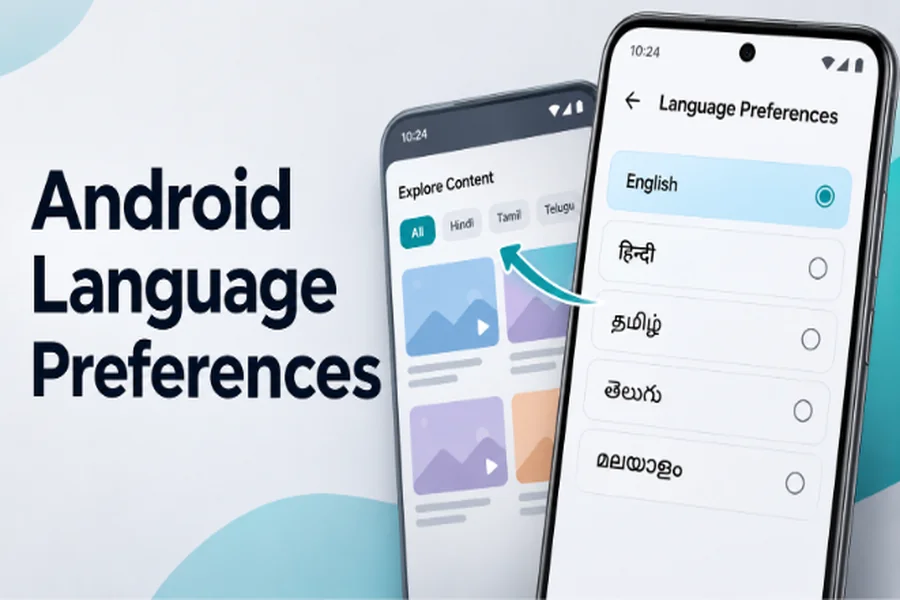
Changing the language of an Android application might seem like a simple adjustment. Open the settings menu, select a preferred language, and continue using the app. Yet this small action can involve several different systems, from Android’s localisation framework to the way entertainment content is organised and displayed.
The effects are not always obvious. In one application, switching from English to Hindi might translate menus and buttons. In another, selecting Hindi could influence which films and television programmes appear in browsing categories. Subtitle preferences and audio languages may operate independently, even when they appear alongside other language settings.
These differences are particularly relevant in India, where people regularly move between Hindi, English, Tamil, Telugu, Malayalam and other regional languages. Understanding how language preferences work helps Android users make better use of multilingual applications while explaining why the same setting can produce different results across different services.
App Language and Content Language Are Not the Same Thing
The first distinction to understand is the difference between an application’s interface language and the language of the content it presents. Although these settings may appear similar, they serve different purposes and are often managed through separate systems.
App language controls the text used throughout the interface. This typically covers navigation menus, settings, buttons, notifications generated by the application and other interface elements. An app configured to use Hindi might display translated navigation labels while retaining the same underlying functionality. The available translations depend on the language resources supplied by its developers.
Content language preferences, meanwhile, help determine which types of entertainment users want to discover. An English-language interface does not necessarily mean the viewer prefers English films. A person might find English menus easier to navigate while regularly watching Telugu dramas, Tamil action films or Malayalam thrillers.
Well-designed entertainment applications can accommodate these different preferences without treating them as contradictory. Content language settings may influence browsing categories, filtering or recommendations, depending on the application’s implementation. Interface language settings primarily affect how information is presented.
Recognising this distinction prevents a common misunderstanding: changing the app’s display language does not automatically translate every film title, alter the available catalogue or change the language spoken in a video.
What Android Does When You Select a Different Language
Android applications generally rely on localisation resources to display interface text in different languages. Rather than hard-coding every button and message in English, developers can maintain translated strings that the application loads according to its active language configuration.
For example, the interface label “Settings” may have corresponding translations stored in separate language resources. When the application switches to a supported language, Android’s resource system can select the appropriate text. The same principle applies to navigation labels, confirmation messages and other interface elements, although developers must provide the translations.
The technical concept behind this behaviour is known as a locale. A locale can describe language preferences and, where relevant, regional conventions that affect how information is formatted. Depending on the application, changing the locale may also influence date formats, number presentation and text layout.
Android 13 introduced system-level per-app language preferences, allowing users to choose different languages for individual supported applications without changing the entire phone’s system language. Applications must provide the necessary localisation support for this feature to work as intended. On other Android versions, developers may offer language selection directly within their applications.
Some changes appear immediately, while others require the current screen or activity to be recreated so the appropriate resources can load. An application may also manage its own interface language independently of Android’s system settings.
The important point is that Android provides localisation mechanisms, but developers determine which languages are available and how consistently those choices are applied throughout the product.
How Language Preferences Influence Entertainment Discovery
Language preferences become particularly interesting when an Android application offers access to entertainment from different linguistic and cultural backgrounds. Unlike ordinary interface translation, content language selection can influence how viewers explore a catalogue.
India provides a useful example. Hindi cinema has a substantial audience, but Tamil, Telugu and Malayalam productions also attract viewers beyond their original language communities. English-language entertainment adds another dimension to the choices available. A multilingual browsing experience can make it easier to express these preferences without requiring users to navigate unrelated categories.
The Castle entertainment application supports content language preferences covering Hindi, English, Telugu, Tamil and Malayalam. This gives viewers a way to express their preferred entertainment languages while exploring the application’s content. The feature illustrates how language selection can extend beyond translated menus and become part of the broader content discovery experience.
From a technical perspective, content language preferences can be implemented in several ways. Applications may use language metadata attached to individual titles, organise catalogues into language-based categories or apply selected preferences when presenting content. Some systems also combine language information with genre, popularity or other browsing signals.
These approaches are not interchangeable, and selecting a language does not necessarily guarantee that every title shown will use it. The outcome depends on the available catalogue and the application’s content organisation.
Language metadata itself requires careful management. A film originally produced in Telugu might also have a Hindi-dubbed edition or subtitles in English. Its original language, available audio tracks and subtitle options represent different pieces of information, even though all relate to the same title.
For viewers, the benefit of thoughtful language organisation is straightforward: it becomes easier to explore entertainment according to personal interests without assuming that one preferred language must control every aspect of the experience.
Why Changing a Language Doesn’t Always Change the Audio
One of the most common sources of confusion in multilingual entertainment applications is the relationship between language settings and video playback. Selecting Hindi as a preferred content language does not necessarily mean every video will begin playing with Hindi audio or subtitles.
The reason is that interface localisation, content discovery and media playback are separate technical functions.
Subtitle Languages Depend on Available Tracks
Subtitles are generally provided as timed text associated with a video. Depending on the media format and playback system, they may be embedded in a media container, delivered separately or managed through streaming manifests.
A player can offer subtitle selection only when suitable subtitle resources are available. If a film has English and Tamil subtitles but no Hindi subtitle track, changing the application’s interface language to Hindi cannot automatically create a Hindi translation.
Subtitle timing is another consideration. Captions must remain synchronised with dialogue and relevant events, while their presentation needs to accommodate different scripts and character lengths. These requirements are particularly important when supporting languages with distinct writing systems.
Audio Tracks Are Managed Separately
Audio language selection follows a similar principle. A film may provide its original soundtrack alongside dubbed versions, but the available choices depend on the media itself.
An English interface can therefore coexist with Telugu audio and Hindi subtitles, provided those tracks are available. This flexibility is useful for multilingual audiences because it separates the language used to operate an application from the language used to enjoy entertainment.
Some players remember previous audio or subtitle choices, while others select tracks according to application defaults or media metadata. The exact behaviour depends on the playback implementation.
Understanding these distinctions helps explain why changing one language setting does not always affect every part of the viewing experience.
How Android Apps Remember Your Language Choices
Language preferences would be inconvenient if users had to configure them every time an application opened. For that reason, Android applications commonly store selected settings so they can be restored during later sessions.
Developers have several options for maintaining preferences. Android’s DataStore and SharedPreferences mechanisms can store relatively small configuration values locally, while applications with account systems may maintain certain preferences through their own backend services. These are different implementation choices, and not every application uses account-based synchronisation.
For multilingual entertainment services, remembering a language selection helps maintain continuity between browsing sessions. The Castle app experience provides a relevant context for understanding the value of personal language choices: once viewers have identified the languages they prefer, those preferences can make subsequent entertainment browsing more familiar and convenient.
The underlying principle is broader than any individual product. User-selected settings should remain predictable, and developers need to consider how they behave during application updates, device changes and data restoration.
Clearing an application’s storage can remove locally saved preferences, while uninstalling an app may also remove associated local data. Whether settings return after reinstallation depends on backup behaviour, account features and the application’s implementation.
Updates introduce another responsibility. When developers change how preferences are stored, they should consider migrating existing settings so users do not unnecessarily lose familiar configurations.
These details may be largely invisible during normal use, but they contribute to an application feeling consistent rather than requiring repeated setup.
Why Multilingual Design Matters Beyond Translation
Supporting multiple languages involves more than replacing English words with translated equivalents. Different languages have different text lengths, scripts, punctuation conventions and presentation requirements, all of which can influence interface design.
A navigation label that fits comfortably in English may require more space in another language. Fixed-width buttons can create problems when translations become longer, while poorly designed layouts may truncate important instructions. Developers therefore need flexible interface components and appropriate typography rather than assuming every translation will occupy the same space.
Search presents additional challenges. Film titles may appear in their original scripts, English transliterations or alternative spellings. An application intended for multilingual audiences can benefit from recognising these variations where its search system supports them.
Cultural context matters as well. Language preferences do not always correspond neatly to geographical location. A Hindi-speaking user may enjoy Malayalam cinema, while a Tamil-speaking viewer may prefer an English interface. Treating language choice as a personal preference rather than a fixed regional identity gives users greater flexibility.
Testing should reflect this diversity. Localisation quality involves checking whether translations are understandable, layouts remain usable and content information is presented consistently across supported languages.
Ultimately, effective multilingual design helps people use technology according to their own habits. It does not require every user to adopt the same combination of interface language, content preferences and playback settings.
Conclusion
Changing language preferences in an Android application can affect several different aspects of the experience, but the outcome depends on which setting is being adjusted and how the application implements it.
Interface language determines how menus and controls are displayed. Content language preferences can influence entertainment discovery, while subtitles and audio tracks depend on the language resources available for individual videos. Saved preferences help maintain a familiar experience across sessions.
For multilingual Android users, understanding these differences makes language settings easier to use. For developers, the challenge is to connect localisation, content organisation and personal preferences without removing the flexibility that makes multilingual entertainment valuable.
A thoughtful language experience is not simply about offering more translations. It is about allowing people to interact with applications in ways that suit their individual preferences.









Leave a Reply