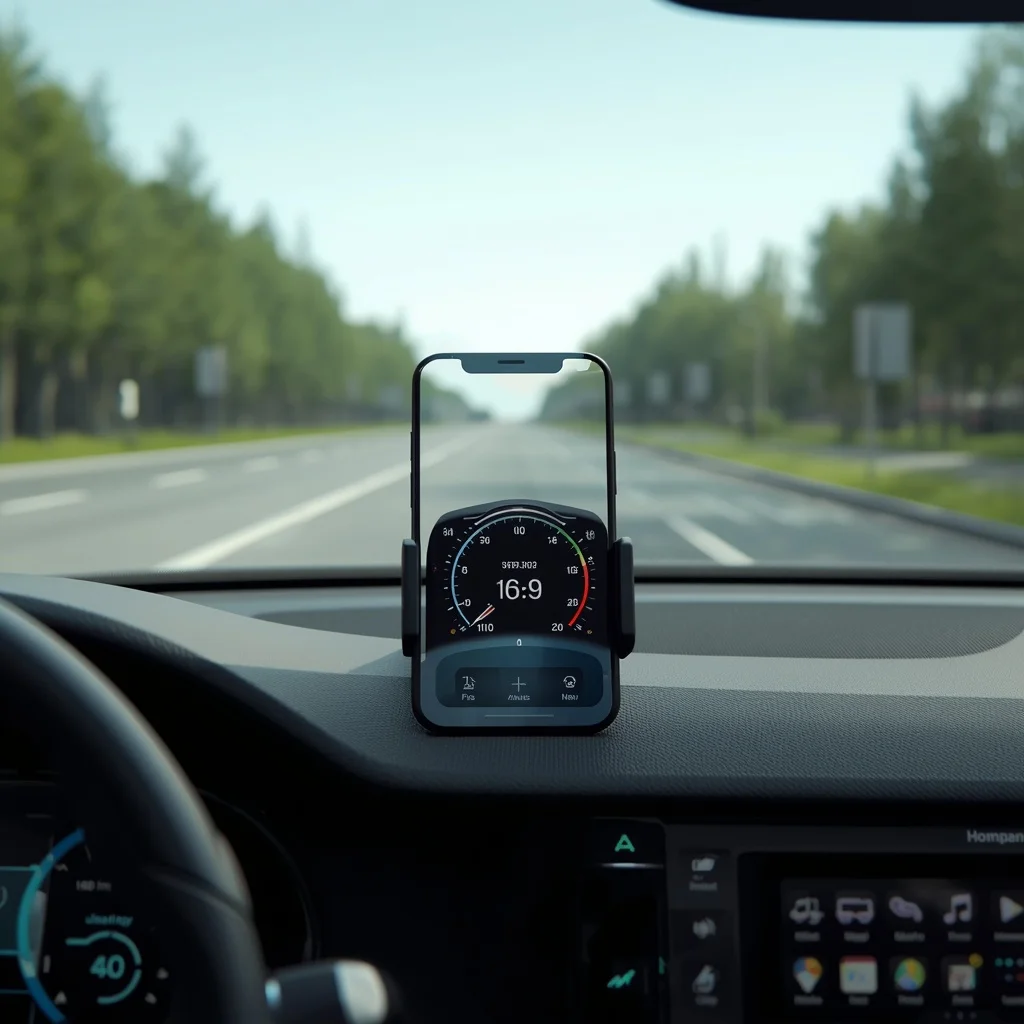
A smartphone can do much more than make calls, browse the web, or run social media apps. With GPS and motion sensors, it can also work as a digital speedometer while you are driving, cycling, running, or traveling.
A speedometer app uses your phone’s location data to estimate how fast you are moving and displays the information on the screen. Some apps focus on a simple digital speed display, while others add trip information, speed limits, maps, distance tracking, or heads-up display features.
If you are looking for the best speedometer app for iPhone or Android, the right choice depends on how you plan to use it.
What Is a Speedometer App?
A speedometer app turns a smartphone into a portable speed-monitoring tool.
Instead of depending on the vehicle’s built-in dashboard, the app uses GPS or other available location information to estimate your current speed.
Depending on the application, you may also see:
- Current speed
- Average speed
- Maximum speed
- Distance traveled
- Trip duration
- GPS coordinates
- Speed limits
- Route information
- Compass direction
- Speed alerts
Some applications are designed specifically for driving, while others are better suited to cycling, running, or outdoor activities.
How Smartphone Speedometer Apps Work
Most GPS speedometer applications determine movement using satellite-based location data.
Your phone communicates with GPS and other location systems to determine its position. By comparing changes in position over time, an application can estimate how quickly you are moving.
This makes GPS particularly useful for situations where you want an independent speed reading.
However, the result can be affected by conditions such as:
- Weak GPS reception
- Tall buildings
- Tunnels
- Dense forests
- Poor weather conditions
- Delayed location updates
- Phone placement
- Device limitations
For this reason, a smartphone speedometer should generally be treated as a supplementary measurement rather than a replacement for the vehicle’s certified speedometer.
Best Speedometer Apps for iPhone
iPhone users have several options for measuring speed and tracking trips.
GPS Speedometer and Odometer
Apps built specifically around GPS speed measurement generally provide a large speed display with additional trip information.
This type of application is useful if you want a simple interface without unnecessary features.
Typical information can include:
- Current speed
- Maximum speed
- Average speed
- Distance
- Trip time
The best option depends on the app’s current features, reviews, privacy practices, and whether important functions require a subscription.
Google Maps
Google Maps is not primarily a speedometer application, but in supported locations and configurations it can display speed-related information while navigating.
Its advantage is that navigation, route planning, traffic information, and location services are already combined in one application.
This makes it useful for people who want navigation and speed information rather than a dedicated speedometer.
Google Maps can be used on both iPhone and Android.
Waze
Waze is another navigation application that can provide speed-related information in supported environments.
Its main purpose is navigation and traffic awareness rather than acting as a standalone speedometer.
However, drivers who already use Waze may prefer having speed information inside the navigation interface rather than installing another application.
Waze provides navigation and community-based road information.
Best Speedometer Apps for Android
Android provides a wide range of GPS speedometer applications through Google Play.
GPS Speedometer Apps
Dedicated Android speedometer apps typically focus on providing a large, easy-to-read speed display.
Some also provide:
- Odometer functions
- Trip history
- Speed alerts
- Average speed
- Maximum speed
- Different measurement units
When choosing an Android speedometer app, check its recent reviews and permissions before installation.
Google Maps
Google Maps can be useful when you want navigation alongside speed information.
Instead of switching between multiple applications, you can keep your route and driving information in one place.
This is particularly convenient for users who already use Google Maps regularly.
Cycling and Outdoor Tracking Apps
Cyclists may want more than a simple speed reading.
Fitness and cycling applications can combine speed with:
- Distance
- Elevation
- Route tracking
- Ride duration
- Average speed
- Activity history
For cycling, an activity-tracking application may therefore be more useful than a basic car speedometer app.
Speedometer Apps for Driving
Drivers usually want a speedometer app that is easy to read without distracting them.
A useful driving interface should have:
- Large numbers
- Clear contrast
- Minimal unnecessary controls
- Easy unit switching
- Stable GPS tracking
- Optional speed alerts
Some applications can also work in landscape orientation, which can make them easier to view when a phone is mounted on a dashboard.
Always position your phone safely and follow local laws regarding phone use while driving.
Speedometer Apps for Cycling
Cyclists can use GPS applications to monitor speed during a ride.
A cycling-focused application may provide considerably more information than a car-focused speedometer.
For example, you might want to track:
- Current speed
- Average speed
- Distance
- Elevation
- Route
- Ride time
- Calories or other fitness metrics
If cycling is your primary use case, look for an application that combines speed tracking with activity recording rather than choosing a simple automotive speedometer.
Speedometer Apps for Running
Runners can also use GPS to estimate movement speed and pace.
However, runners usually benefit more from pace information than a traditional vehicle-style speedometer.
For example, an activity app might display:
- Current pace
- Average pace
- Distance
- Running time
- Route
- Splits
This makes fitness tracking applications more appropriate for running than a dedicated car speedometer.
MPH vs KM/H
One of the first settings to check after installing a speedometer app is the measurement unit.
Two common options are:
- MPH: miles per hour
- KM/H: kilometers per hour
The correct setting depends on the country and the road signs you use.
For example, many countries use kilometers per hour, while the United States commonly uses miles per hour.
Using the wrong unit can make the displayed number confusing, so verify the setting before relying on the app.
What Makes a Good Speedometer App?
Not every speedometer application provides the same experience.
Consider these features before choosing one.
Large Speed Display
The most important feature is readability.
A large digital number can be easier to see than a crowded dashboard containing many unnecessary measurements.
GPS Stability
The app needs reliable location access to calculate movement.
An application that frequently loses its GPS connection may not be useful for regular driving or cycling.
Speed History
Some applications record maximum and average speed.
This can be useful for reviewing a trip or cycling session after it finishes.
Speed Alerts
Some apps can notify users when they exceed a selected speed.
This can be useful as an awareness feature, although it should not replace attention to road signs and local speed limits.
Offline Functionality
Some speedometer functions may continue working without mobile data because GPS positioning does not require a cellular data connection in the same way that online maps do.
However, features such as online maps, traffic information, weather, or cloud synchronization may require internet access.
GPS Speedometer vs Car Speedometer
A smartphone GPS speedometer and a vehicle’s built-in speedometer measure speed using different systems.
The car’s speedometer is integrated with the vehicle and is designed specifically for that vehicle.
A phone application generally estimates speed based on changes in GPS position.
There can therefore be differences between the two readings.
A GPS speedometer may also take longer to update after acceleration or braking because location data is processed at intervals.
For everyday driving, the vehicle’s installed speedometer should remain the primary reference.
Can a Speedometer App Work Without Internet?
GPS-based speed measurement can often work without an active mobile data connection.
The phone can receive satellite positioning information without using cellular internet.
However, not every app works entirely offline.
Features that may require an internet connection include:
- Online maps
- Traffic data
- Cloud synchronization
- Online route information
- Weather information
- Account-based services
If offline use is important, check the application’s description and permissions before relying on it.
Are Speedometer Apps Accurate?
Accuracy varies.
GPS can provide a useful estimate of speed, particularly when the phone has a clear view of the sky and a stable location signal.
But the reading can change because of environmental and technical conditions.
For a detailed explanation of GPS speed measurement, accuracy, and the factors that can affect readings, see our upcoming guide on GPS speedometer accuracy and features.
Privacy and Permissions
A speedometer application may request access to your location.
This permission is necessary for GPS-based speed tracking, but users should still check what other information the application requests.
Before installing an app, review:
- Location permissions
- Background location access
- Advertising permissions
- Account requirements
- Data collection policies
- Developer information
- Recent user reviews
You can also review and change location permissions through your phone’s operating system settings.
Apple provides information about location permissions and privacy through its official documentation:
Android users can review Google’s information about location permissions and privacy:
How to Use a Phone as a Speedometer
Using a phone as a basic GPS speedometer is straightforward.
Step 1: Install a Suitable App
Choose a speedometer or navigation application that supports your device.
Step 2: Enable Location
Give the app the required location permission.
Step 3: Select MPH or KM/H
Choose the unit that matches your local road signs.
Step 4: Wait for GPS Lock
Give the application some time to establish a reliable location signal.
Step 5: Mount the Phone Safely
If using the app while driving, use a suitable phone mount and keep the display positioned where it does not obstruct your view.
Step 6: Check the Reading
Compare the app’s reading with the vehicle’s speedometer rather than assuming that either reading is perfectly identical.
Free vs Paid Speedometer Apps
Many speedometer apps are free to install.
However, free applications can use different monetization models.
Some may include:
- Advertisements
- Optional subscriptions
- One-time purchases
- Premium themes
- Advanced trip history
- Additional tracking features
A free app can be enough if you only need a large digital speed display.
A paid application may be more useful if you need detailed trip tracking, advanced statistics, or an ad-free experience.
Always check the current App Store or Google Play listing before subscribing.
How to Choose the Right Speedometer App
The best app depends on what you actually need.
| Use Case | Useful App Type |
| Simple driving speed | Dedicated GPS speedometer |
| Navigation + speed | Google Maps or Waze |
| Cycling | Cycling/activity tracker |
| Running | Fitness and pace tracker |
| Trip statistics | GPS tracker with history |
| Simple occasional use | Free speedometer app |
| Large dashboard display | Speedometer with landscape support |
This approach is more useful than choosing an app based only on its download count.
Frequently Asked Questions
What is the best speedometer app for iPhone?
The right choice depends on whether you need simple speed measurement, navigation, cycling tracking, or additional trip statistics. Dedicated GPS speedometer apps are useful for simple speed displays, while navigation apps can combine speed with maps.
What is the best speedometer app for Android?
Android has many dedicated GPS speedometer apps. Look for reliable GPS tracking, a readable interface, appropriate permissions, and recent user reviews.
Can I use my phone as a car speedometer?
Yes. GPS speedometer applications can estimate vehicle speed using location data. However, the vehicle’s built-in speedometer should remain the primary reference while driving.
Do speedometer apps need internet?
GPS-based speed measurement can often work without mobile internet, although maps, traffic, synchronization, and other online features may require a connection.
Can speedometer apps work while cycling?
Yes. GPS-based applications can track cycling speed and may also record distance, route, elevation, and average speed.
Do speedometer apps use a lot of battery?
Continuous GPS tracking can consume more battery than ordinary app use. Screen brightness, background activity, mobile data, and other phone settings can also affect battery consumption.
Final Thoughts
A smartphone can be a useful supplementary speed-monitoring tool when you need a quick reading while driving, cycling, or traveling.
The best speedometer app for iPhone or Android depends on your specific purpose. A dedicated application is useful when you want a simple digital speed display, while Google Maps, Waze, and fitness applications can combine speed information with navigation or activity tracking.
Before choosing an app, consider GPS reliability, readability, speed units, trip history, privacy permissions, battery usage, and whether the important features are free.
Most importantly, use smartphone speed readings as supplementary information and continue to follow your vehicle’s speedometer, road signs, and local traffic laws.





Leave a Reply