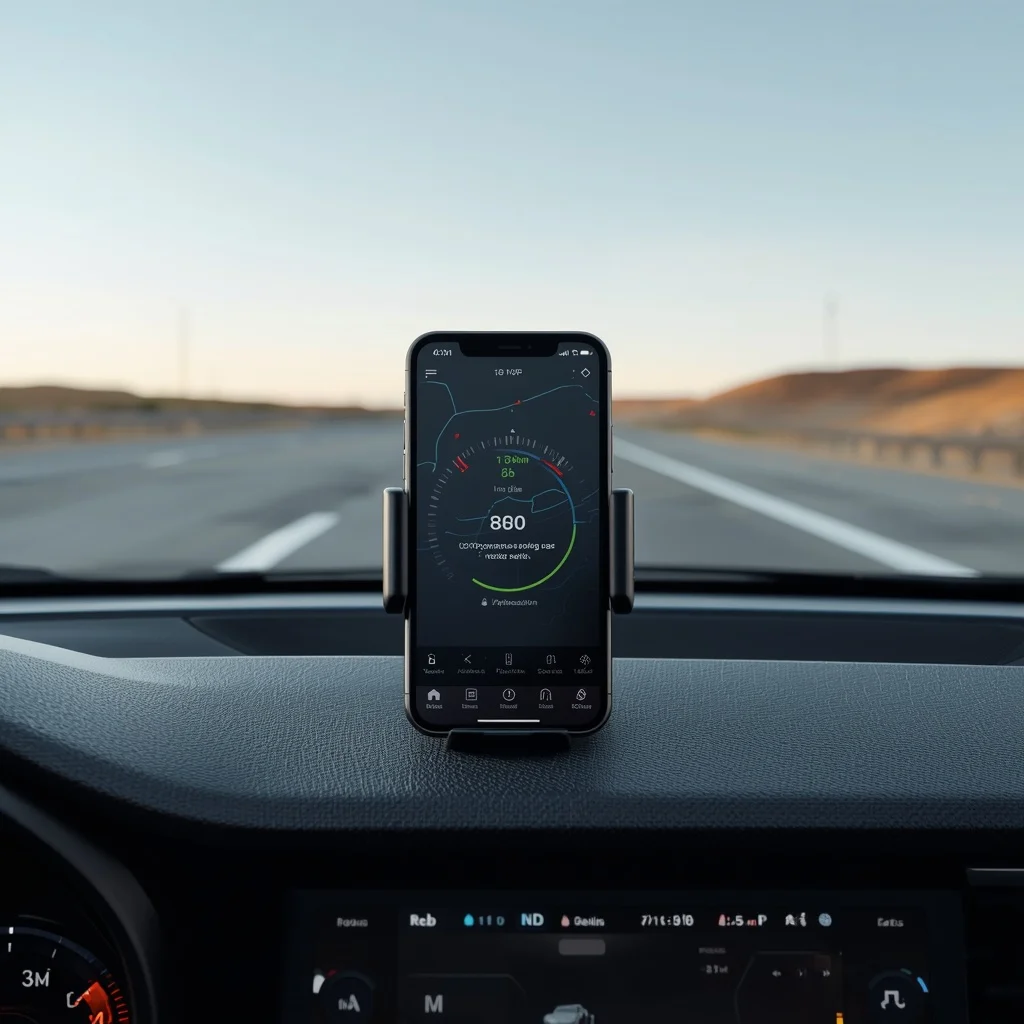
GPS speedometer apps can turn a smartphone into a useful digital speed monitor. Instead of relying only on the vehicle’s dashboard, these apps estimate speed using GPS location data and display the result on the phone.
This can be useful for drivers, cyclists, travelers, and anyone who wants to monitor speed during a journey. However, a common question is how accurate a GPS speedometer actually is.
The answer depends on several factors, including GPS signal quality, movement, road conditions, phone hardware, app design, and how quickly the application updates its reading.
Understanding these factors can help you use a GPS speedometer more effectively.
What Is a GPS Speedometer?
A GPS speedometer is an application that uses location data to estimate how quickly a device is moving.
The phone determines its position using GPS and other satellite positioning systems. The application then uses changes in location over time to calculate movement speed.
Unlike a traditional vehicle speedometer, which is connected to the vehicle’s systems, a GPS speedometer operates independently through the smartphone.
A typical GPS speedometer may show:
- Current speed
- Average speed
- Maximum speed
- Distance traveled
- Trip duration
- GPS signal information
- Speed alerts
- Direction
- Route information
- MPH or KM/H
The available features depend on the application.
How Does GPS Calculate Speed?
GPS speed measurement is based on changes in position and movement information.
Your smartphone receives positioning data from satellites and determines its approximate location. As the device moves, the GPS system continues updating that position.
The application can then estimate how quickly the device is moving.
Modern smartphones may use more than basic GPS. Depending on the device and operating system, positioning can also benefit from other satellite systems and location technologies.
This is why a smartphone can estimate movement without being connected to a traditional vehicle speed sensor.
Are GPS Speedometer Apps Accurate?
GPS speedometers can provide useful speed measurements, but they are not perfect.
Accuracy is generally better when the phone has a strong and stable positioning signal and the device is moving consistently.
For example, a smartphone traveling at a steady speed on an open road may produce a relatively stable reading.
Accuracy can become less predictable when:
- The phone has poor satellite visibility
- The vehicle is accelerating rapidly
- The vehicle is braking
- The phone is inside a tunnel
- Buildings block satellite signals
- The device is surrounded by dense trees
- GPS positioning temporarily becomes unstable
- The application updates slowly
Therefore, a GPS speedometer should be treated as a supplementary measurement rather than automatically assuming it is more accurate than the vehicle’s speedometer.
GPS Speedometer vs Vehicle Speedometer
A vehicle speedometer and a smartphone GPS speedometer do not calculate speed in exactly the same way.
A vehicle’s speedometer is connected to the vehicle’s systems and is designed specifically for that vehicle.
A GPS speedometer estimates speed based on location and movement data.
This can result in different readings.
For example, your car’s dashboard might show one speed while the GPS application shows a slightly different number.
Small differences do not automatically mean that one system is malfunctioning.
The two systems are using different methods of measurement.
Why Does GPS Speed Differ From the Car Speedometer?
There are several possible reasons.
Different Measurement Methods
The vehicle and smartphone are not necessarily measuring speed from the same source.
The vehicle may use wheel or drivetrain-related information, while the phone uses satellite positioning and related location data.
GPS Update Timing
GPS applications receive and process location information over time.
If your vehicle suddenly accelerates, the displayed GPS speed may take some time to reflect the change.
The same can happen during sudden braking.
Signal Conditions
GPS performance can be affected by the environment around the phone.
Tall buildings, mountains, tunnels, trees, and other obstacles can interfere with positioning quality.
Phone Placement
The location of the phone can also influence signal quality.
A device positioned where it has better exposure to the sky may receive positioning information more consistently than a phone placed inside a heavily obstructed area.
GPS Speedometer Accuracy at High Speeds
GPS-based speed measurement can be useful at highway speeds because the device is covering a relatively large distance over a short period.
However, high speed does not automatically guarantee perfect accuracy.
Rapid changes in speed can still create differences between the phone’s reading and the vehicle’s dashboard.
For example, if a driver accelerates quickly, the GPS application may show a delayed response compared with the vehicle’s own speed measurement system.
For this reason, drivers should not use a phone GPS reading as a substitute for the vehicle’s normal speedometer.
GPS Speedometer Accuracy at Low Speeds
Low-speed measurement can present different challenges.
When a vehicle or bicycle is moving slowly, the distance covered between positioning updates can be relatively small.
Small changes in the estimated position can therefore have a noticeable effect on the calculated speed.
This can cause the displayed speed to fluctuate.
A speedometer app may show a small movement even when the device is stationary or may take a moment to settle after movement begins.
This is one reason GPS speedometers are generally more useful for observing movement than for demanding laboratory-level measurements.
Why Does GPS Speed Fluctuate?
You may notice the speed displayed by an app moving up and down even when your actual speed feels relatively constant.
Several factors can cause this.
Location Estimation Changes
GPS positioning is an estimate rather than a permanently fixed point.
Small changes in estimated position can affect the calculated speed.
Signal Quality
The quality of the satellite signal can change as your surroundings change.
Driving between tall buildings or under heavy tree cover can affect positioning.
App Processing
Different applications process location updates differently.
One app may smooth the displayed speed while another may react more quickly to every location change.
Device Hardware
Different smartphones can have different positioning hardware and software capabilities.
As a result, two phones using similar applications may not always produce identical readings.
What Is GPS Speed Smoothing?
Some applications use smoothing to make the speed display easier to read.
Instead of showing every small change in the GPS calculation, the application can process several readings and produce a more stable value.
This can make the display look better while driving or cycling.
However, smoothing also means the displayed value may react slightly more slowly to sudden changes.
There is therefore a balance between:
- Stability
- Responsiveness
- Noise reduction
- Fast updates
Different speedometer apps can make different choices.
Factors That Affect GPS Accuracy
GPS speedometer performance depends on more than the application itself.
Open Sky
A clear view of the sky generally provides better conditions for satellite positioning.
Buildings
Urban environments with tall buildings can create difficult positioning conditions.
Tunnels
GPS signals can be unavailable or severely limited inside tunnels.
Trees and Mountains
Dense vegetation and terrain can affect satellite visibility.
Weather
Satellite positioning is generally designed to work across normal weather conditions, but severe environmental conditions and surrounding obstacles can still affect overall device positioning performance.
Phone Hardware
Different smartphones can have different GNSS and positioning capabilities.
App Design
Applications can process and display location information differently.
GPS vs Cellular Location
A smartphone does not necessarily rely on a single source when determining its location.
Modern location systems can combine information from multiple sources, depending on the device, operating system, permissions, and environment.
GPS and other satellite systems provide positioning information, while network-based location can help devices determine approximate location in some situations.
For a speedometer, satellite-based positioning is particularly important because movement needs to be estimated over time.
Does GPS Speedometer Need Internet?
A basic GPS speed measurement does not necessarily require mobile internet.
A smartphone can receive satellite positioning information without using cellular data in the same way that online maps do.
However, some applications combine speed measurement with online features.
Internet access may be required for:
- Online maps
- Traffic information
- Cloud synchronization
- Account services
- Weather data
- Online route information
- Advertisements
- Application content
Therefore, an app may continue measuring speed while some of its other features become unavailable without internet access.
Does a GPS Speedometer Use a Lot of Battery?
Continuous location tracking can consume more battery than ordinary smartphone use.
Battery consumption can increase further when the app also keeps the screen active and uses other features.
For example, a driver using a bright display, GPS, mobile data, and navigation simultaneously may notice faster battery drain.
To reduce battery usage:
- Lower screen brightness when practical
- Close unnecessary applications
- Use a vehicle charger for long trips
- Avoid unnecessary background location access
- Turn off features you do not need
A dedicated GPS speedometer is generally more practical for long trips when the phone can remain connected to a power source.
How to Test a GPS Speedometer
If you want to understand how an app behaves, you can perform a simple real-world comparison.
Step 1: Choose an Open Road
Use a location with good satellite visibility.
Step 2: Start the App
Open the GPS speedometer and wait for its location information to stabilize.
Step 3: Maintain a Steady Speed
Drive or cycle at a relatively consistent speed rather than constantly accelerating and braking.
Step 4: Compare Readings
Observe the GPS speedometer and the vehicle’s dashboard.
Step 5: Repeat the Test
Repeat the test under different conditions.
For example, compare:
- Open highway
- Urban road
- Slow movement
- Steady cruising
- Acceleration
- Different phone positions
This can show how the application behaves rather than relying on a single reading.
How to Improve GPS Speedometer Performance
You cannot completely eliminate GPS limitations, but you can improve the conditions in which the application operates.
Keep Location Services Enabled
The application needs appropriate location access to calculate speed.
Allow the Required Permissions
Check the application’s location permission settings.
Use a Stable Phone Position
A securely mounted phone is easier to use and reduces unnecessary movement.
Wait for a Reliable GPS Signal
Do not immediately rely on the reading after launching the application.
Give it time to establish positioning.
Keep the App Updated
Updates can improve compatibility, stability, and application behavior.
Best Features to Look for in a GPS Speedometer
If you are choosing between different applications, consider the features that actually matter to you.
Large Digital Speed Display
A clear display is useful when monitoring speed during a trip.
MPH and KM/H
The ability to switch between units is important when traveling internationally.
Average and Maximum Speed
These features are useful for reviewing a journey.
Trip Distance
A built-in distance counter can make the app more useful for cycling and travel.
Speed Alerts
Some applications can provide alerts when a selected speed is reached.
GPS Signal Information
Some advanced applications provide information about positioning quality.
Landscape Mode
Landscape orientation can be useful when the phone is mounted on a dashboard.
GPS Speedometer for Cycling
GPS speed measurement can be particularly useful for cyclists.
A cycling application can combine speed with additional information such as:
- Distance
- Elevation
- Route
- Average speed
- Maximum speed
- Ride duration
Cyclists may therefore benefit from a dedicated cycling tracker rather than a basic automotive speedometer.
GPS Speedometer for Running
For runners, pace is often more useful than vehicle-style speed.
A running application can use GPS to estimate:
- Current pace
- Average pace
- Distance
- Route
- Time
- Splits
Because running involves slower movement and frequent changes in pace, dedicated fitness applications can provide a more useful experience than a simple speedometer.
Is a GPS Speedometer Better Than a Speedometer App?
The terms are often used interchangeably.
A GPS speedometer is a type of speedometer app that specifically relies on GPS or satellite positioning to estimate speed.
A broader speedometer app could include additional technologies or features.
When searching an app store, terms such as:
- GPS speedometer
- Speedometer app
- Digital speedometer
- GPS speed tracker
- GPS odometer
may return similar applications.
The important thing is to check how the specific application calculates speed and what features it provides.
Safety Considerations
A smartphone speedometer should never become a distraction while driving.
If you use one in a vehicle:
- Mount the phone securely
- Position it without blocking your view
- Configure the app before starting the journey
- Avoid handling the phone while driving
- Follow local traffic laws
- Continue using the vehicle’s normal speedometer
The purpose of a smartphone speedometer should be supplementary information, not a reason to interact with the phone while driving.
Frequently Asked Questions
How accurate are GPS speedometer apps?
They can provide useful speed estimates when GPS conditions are good, but accuracy varies with signal quality, movement, device hardware, and application processing.
Why is my GPS speed different from my car speedometer?
The two systems use different methods to calculate speed. GPS uses positioning information, while the vehicle’s speedometer uses the vehicle’s own systems.
Does a GPS speedometer work without mobile data?
Basic GPS speed measurement can often work without mobile data. Online maps, traffic, synchronization, and other connected features may still require internet access.
Why does my GPS speedometer keep changing?
Small changes in GPS position estimates, signal quality, update intervals, and application processing can cause the displayed speed to fluctuate.
Can GPS measure bicycle speed?
Yes. GPS applications can estimate cycling speed and can also record distance, route, elevation, and other activity information.
Can I use GPS speed as my official driving speed?
A smartphone GPS reading should not be treated as a replacement for the vehicle’s speedometer or official speed measurement systems. Always follow the vehicle’s instruments and applicable traffic laws.
Final Thoughts
GPS speedometer apps are useful tools for monitoring movement, but their readings should be understood as GPS-based estimates rather than perfect measurements.
The quality of the result depends on satellite visibility, phone hardware, application processing, movement, and environmental conditions. A stable signal and consistent movement generally make it easier for an application to produce a stable reading.
If you want to use a GPS speedometer regularly, choose an app with a clear display, reliable location tracking, useful speed units, and features that match your needs.
For driving, it is best used as supplementary information alongside the vehicle’s own speedometer. For cycling, running, and outdoor activities, GPS tracking can provide additional information such as distance, pace, route, and average speed.





Leave a Reply