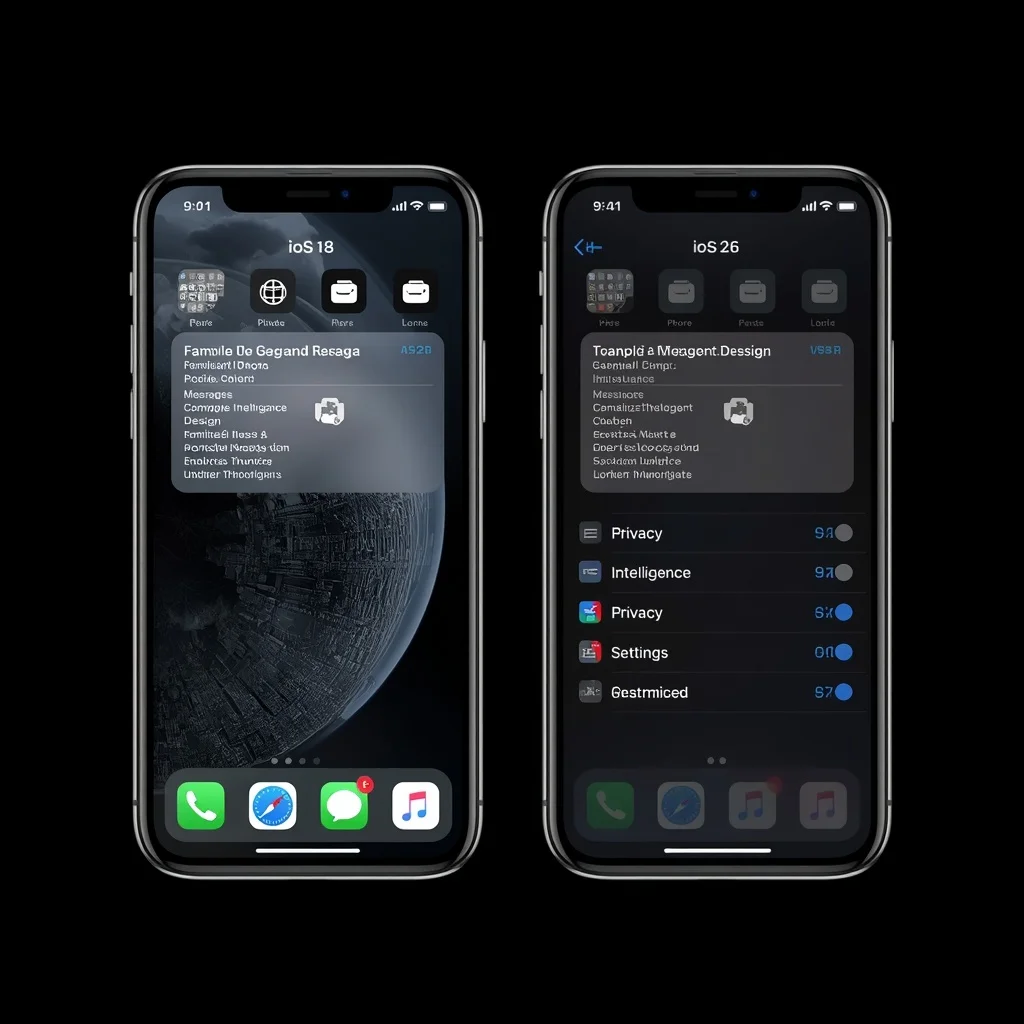
Apple’s iOS has continued to evolve with major changes to the iPhone experience. iOS 18 introduced a number of customization and messaging improvements, while iOS 26 represents a much newer generation of Apple’s mobile software with a redesigned visual experience and additional system features.
For iPhone users deciding whether to move from iOS 18 to iOS 26, the difference is not limited to a new version number. The two releases represent different approaches to customization, interface design, communication, intelligence features, privacy, and everyday iPhone interaction.
This guide compares iOS 18 and iOS 26 across the areas that matter most to everyday users.
iOS 18 vs iOS 26 at a Glance
Both versions provide the core iPhone experience, but they differ significantly in design and features.
| Feature | iOS 18 | iOS 26 |
| Release generation | 2024 | 2025 |
| Interface direction | Familiar iOS design with more customization | Major visual redesign |
| Home Screen customization | Expanded customization | Continues the newer customization approach |
| Control Center | Highly customizable | Updated visual and interaction experience |
| Messages | Major new messaging features | Further communication improvements |
| Apple Intelligence | Introduced on supported iPhones | Expanded system integration |
| Lock Screen | Customizable | Newer visual treatment |
| Safari | Updated browsing features | Updated interface and capabilities |
| Phone app | Traditional iOS experience with newer features | Updated calling experience |
| Privacy | Strong built-in privacy controls | Continues Apple’s privacy-focused approach |
The exact features available can depend on the iPhone model, language, region, and Apple service availability.
What Is iOS 18?
iOS 18 is the major iPhone operating-system generation introduced by Apple in 2024.
One of its important themes was giving users more control over how their iPhone looks and behaves.
Among its notable areas of improvement were:
- Home Screen customization
- A redesigned and more flexible Control Center
- Messaging improvements
- RCS support in supported regions and carrier configurations
- Password management through the Passwords app
- Photos app changes
- Apple Intelligence on compatible iPhone models
iOS 18 therefore represented a substantial update while retaining the familiar overall iPhone interface.
What Is iOS 26?
iOS 26 is a later major iOS generation introduced by Apple in 2025.
One of the most visible changes is Apple’s new visual design direction, which affects system interfaces and many built-in applications.
The update also builds on Apple’s recent work in areas such as:
- Personalization
- Communication
- Apple Intelligence
- System applications
- Calling
- Messaging
- Visual design
- Privacy
Because iOS 26 is a newer operating-system generation, users moving from iOS 18 may notice the interface changes before they notice smaller functional improvements.
The Biggest Difference: Visual Design
The visual design is one of the most obvious differences between iOS 18 and iOS 26.
iOS 18 maintains Apple’s established interface language while allowing considerably more Home Screen customization than earlier iOS versions.
iOS 26 takes a more dramatic visual approach.
Apple introduced a new design language featuring more translucent and dimensional interface elements. System controls, navigation areas, and applications have been redesigned to provide a more consistent visual experience.
For someone moving directly from iOS 18 to iOS 26, the interface can therefore feel considerably different even when performing familiar tasks.
Home Screen Customization
iOS 18 expanded Home Screen customization substantially.
Users gained more flexibility over application placement and visual presentation, including the ability to arrange icons with greater freedom and adjust their appearance.
iOS 26 continues Apple’s emphasis on personalization while incorporating the newer visual design.
The difference is therefore less about whether customization exists and more about how that customization fits into the overall visual system.
Control Center Differences
The Control Center became much more customizable with iOS 18.
Users could rearrange controls and create a more personalized collection of shortcuts.
iOS 26 builds on that approach with a refreshed interface that fits its broader design changes.
For people who frequently use:
- Wi-Fi
- Bluetooth
- Brightness
- Volume
- Focus
- Screen recording
- Connectivity controls
the updated Control Center is one of the areas where the newer system can feel noticeably different.
iOS 18 vs iOS 26 Messages
Messages received important changes in iOS 18.
One major development was expanded support for RCS messaging, allowing supported conversations with compatible non-iPhone devices to provide more modern messaging capabilities than traditional SMS or MMS.
iOS 18 also introduced additional text effects and message-scheduling capabilities.
iOS 26 continues Apple’s work on communication and adds further improvements to the Messages experience.
The exact capabilities can depend on the devices and services involved, so users should not assume that every new messaging feature works identically across all conversations.
Apple Intelligence in iOS 18 and iOS 26
Apple Intelligence became an important part of Apple’s software strategy with iOS 18 on compatible hardware.
However, Apple Intelligence is not available on every iPhone that can run iOS 18.
This distinction is important because software compatibility and feature compatibility are not always the same thing.
iOS 26 continues to expand Apple’s intelligence-related capabilities and integrates them more deeply into the overall operating-system experience.
If AI features are an important reason for upgrading, check the compatibility of your specific iPhone rather than relying only on the iOS version number.
Photos App
The Photos app received a substantial redesign in iOS 18.
Apple changed the way photographs and collections are organized, with a stronger emphasis on customizable sections and unified navigation.
The updated approach was intended to make large photo libraries easier to organize and browse.
iOS 26 continues with a newer visual design, meaning users upgrading from iOS 18 may notice both the organization and visual presentation of the Photos experience.
If you have thousands of photos, the change in navigation can take some time to become familiar with.
Passwords App
One of the notable additions in iOS 18 was Apple’s dedicated Passwords app.
Previously, saved passwords and related credentials were accessed through different areas of Apple’s settings system.
The Passwords app provides a more direct place to manage:
- Passwords
- Passkeys
- Verification codes
- Wi-Fi credentials
- Security-related information
This is an example of iOS 18 adding a useful standalone system experience rather than simply changing the appearance of an existing feature.
Phone App Changes
The Phone app remains central to the iPhone experience in both operating systems, but Apple’s newer software introduces changes to calling and communication workflows.
iOS 18 introduced features such as call recording on supported configurations.
Later iOS versions continue developing the calling experience alongside the broader design changes.
Availability of certain communication features can vary according to region, language, device, and applicable laws.
Safari and Web Browsing
Safari remains Apple’s primary browser on iPhone.
Both iOS 18 and iOS 26 include improvements to the browsing experience, but iOS 26’s visual changes affect the way users interact with system applications and navigation elements.
For most users, the basic browsing workflow remains familiar.
The more important differences are related to the surrounding system interface, privacy controls, intelligent features, and newer Safari capabilities rather than simply loading websites faster.
Privacy and Security
Privacy remains a major part of Apple’s approach in both iOS 18 and iOS 26.
iOS includes controls for managing:
- App permissions
- Location access
- Photos access
- Contacts access
- Tracking
- Bluetooth access
- Local network access
- Passwords and passkeys
Newer software can also introduce additional privacy and security improvements.
Regardless of the iOS version, users should regularly review application permissions and install official software updates when available.
Apple provides detailed security information through its official Apple Security documentation.
Performance: Is iOS 26 Faster Than iOS 18?
There is no universal performance result that applies to every iPhone.
Performance depends on:
- iPhone model
- Processor
- Available storage
- Battery condition
- Background activity
- App optimization
- The specific iOS build
A newer operating system can provide newer features without making every older iPhone feel faster.
Users with older supported hardware should therefore consider their specific device rather than assuming that the newer version will automatically improve performance.
Battery Life Differences
Battery life can also vary considerably after a major iOS update.
The operating system is only one part of battery performance. Display brightness, cellular signal, applications, background processes, battery health, and usage patterns all contribute.
After installing a major update, the iPhone may also perform background tasks such as indexing and library processing, which can temporarily affect battery usage.
If battery life changes after an update, give the device some time and check the Battery section in Settings before concluding that the operating system itself is responsible.
iOS 18 vs iOS 26 Compatibility
Compatibility is one of the most important issues when comparing the two versions.
Not every iPhone that supports iOS 18 necessarily supports iOS 26.
More importantly, even when an iPhone supports the newer operating system, some advanced features may require newer hardware.
This creates three separate questions:
- Can the iPhone install the operating system?
- Can the iPhone use the major new features?
- Are those features available in the user’s region and language?
Apple’s official iOS information should be checked for the current supported-device list and feature availability.
Should You Upgrade From iOS 18 to iOS 26?
The answer depends on what you want from your iPhone.
An upgrade may be particularly relevant if you want access to newer:
- Interface features
- Communication tools
- Privacy and security improvements
- Apple Intelligence capabilities
- System applications
- Customization options
However, users who depend on a specific workflow should check application compatibility and device support before updating.
It is also sensible to create a current backup before performing a major operating-system upgrade.
What Happens to Your Apps After Updating?
Most regularly maintained iPhone applications are designed to work with newer iOS versions.
However, compatibility can vary.
Before a major upgrade:
- Update important applications
- Back up important information
- Check business or work-related apps
- Verify banking and authentication applications
- Make sure you know your Apple Account credentials
If your iPhone is used for work, check with your organization’s IT department if it has specific software or security requirements.
iOS 18 vs iOS 26 for Older iPhones
Older iPhones require more careful consideration.
Even when an older device is compatible with a newer iOS version, some advanced capabilities may not be available because they depend on newer processors or hardware.
For example, Apple Intelligence has specific hardware requirements.
Therefore, an older iPhone may receive the operating-system update but still lack some of the headline features shown in Apple’s marketing.
This is normal for major mobile operating-system updates.
Key Differences at a Practical Level
For someone moving from iOS 18 to iOS 26, the most noticeable areas are likely to include:
Interface
iOS 26 introduces a much more substantial visual change than the typical yearly refinement.
Customization
iOS 18 significantly expanded customization, while iOS 26 continues that direction within its newer design system.
Communication
Both versions improve messaging and calling, but the newer generation adds further communication-related changes.
Intelligence
iOS 18 introduced Apple Intelligence on supported devices, while iOS 26 expands Apple’s intelligence-focused direction.
Compatibility
Hardware determines which features are available. A newer iOS version does not guarantee that every feature works on every supported iPhone.
Security
Both versions include Apple’s ongoing security improvements, but newer software generally incorporates newer security updates and protections.
Frequently Asked Questions
Is iOS 26 better than iOS 18?
The two versions have different feature sets and design approaches. iOS 26 is a newer generation with a substantially refreshed interface and additional capabilities, while iOS 18 introduced major customization and communication changes.
What is the main difference between iOS 18 and iOS 26?
The most visible difference is the overall interface design. iOS 26 introduces a much more extensive visual redesign while also expanding newer system capabilities.
Does iOS 26 have Apple Intelligence?
Apple Intelligence is part of Apple’s newer iOS feature strategy, but availability depends on the iPhone model, language, region, and specific feature requirements.
Will updating from iOS 18 to iOS 26 delete my data?
A normal software update is designed to preserve your data and applications, but creating a backup before a major update is strongly recommended.
Does every iPhone running iOS 18 support iOS 26?
No. Operating-system compatibility depends on the specific iPhone model.
Can older iPhones get all iOS 26 features?
Not necessarily. Some features require newer hardware, and others can vary according to region or language.
Final Thoughts
iOS 18 and iOS 26 represent two different stages in the development of Apple’s iPhone software.
iOS 18 focused heavily on customization, communication improvements, the Passwords app, changes to Photos, and the introduction of Apple Intelligence on supported hardware. iOS 26 takes the platform in a newer visual direction while continuing Apple’s work on communication, personalization, intelligence, privacy, and system applications.
The most important point for iPhone owners is that the iOS version alone does not determine the complete feature set. Your iPhone model, hardware capabilities, region, language, and the individual application can all affect what is available.
Before moving from iOS 18 to iOS 26, check your device’s compatibility, review the features that matter to you, update important applications, and create a backup. That gives you a clearer picture of what the newer software will actually change on your particular iPhone.


Leave a Reply