Android applications support communication, productivity, entertainment, education, finance, navigation, and many other parts of everyday digital life. However, understanding an application involves more than reading its name or looking at a short feature list. Users may also need to consider its developer, permissions, compatibility, update history, distribution source, privacy practices, and overall purpose.
APKProTechs.com publishes educational content about Android applications, APK files, mobile software, and related technology. Its role is to explain these subjects in clear language so readers can understand how Android software is distributed, what information deserves attention, and which safety limitations should be considered before installing or using an application.
The website’s guides are intended to support informed decisions. They should not be treated as substitutes for information provided by an application’s official developer, Google Play listing, privacy policy, or device manufacturer.
Android Applications Require More Than Feature Lists
An app guide becomes genuinely useful when it explains the context surrounding the application. A long list of features may describe what an app claims to offer, but it does not necessarily tell readers whether the software is appropriate for their device or circumstances.
Useful app coverage should identify:
- The application’s primary purpose
- Its developer or publisher
- Supported devices and Android versions
- Important permissions
- Available official download sources
- Pricing, subscriptions, or in-app purchases
- Update information
- Privacy and account requirements
- Known limitations that affect normal use
These details allow readers to evaluate an application based on practical information rather than promotional wording.
APKProTechs.com aims to organize app-related information around these considerations. When features or requirements can change between versions, the guide should clearly identify when it was reviewed and direct readers to the official listing for the most current details.
APK Files in the Android Ecosystem
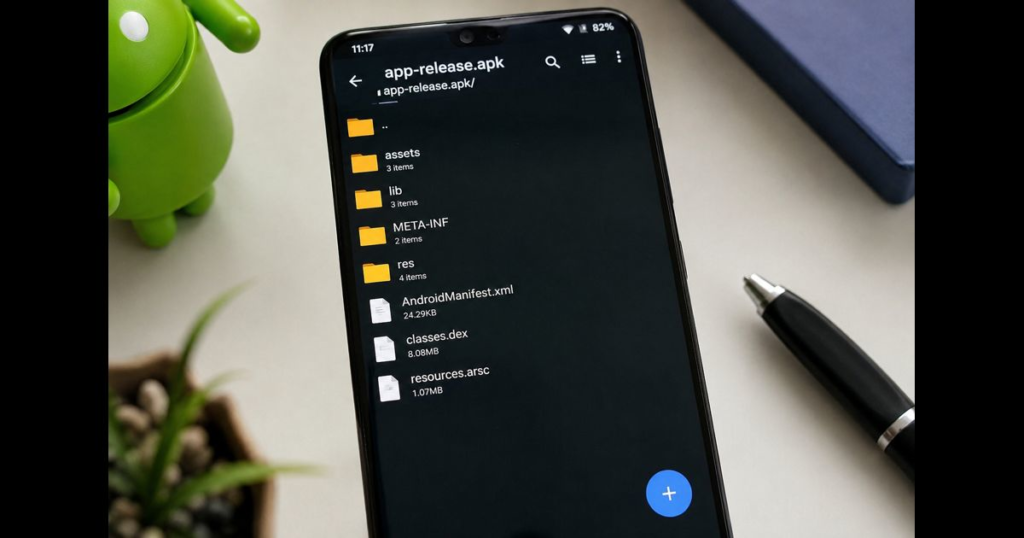
An Android Package file uses the .apk extension and contains the components Android needs to install an application. According to the official Android application fundamentals documentation, an APK is the archive format Android-powered devices use when installing an app.
An APK should not be confused with an Android App Bundle. An App Bundle uses the .aab format and functions as a publishing format rather than a file users install directly. Google Play can use an App Bundle to generate APKs optimized for different device configurations, as explained in the official Android App Bundle guide.
Understanding this distinction helps readers interpret technical terms correctly:
- APK files can be installed on compatible Android devices.
- AAB files are generally uploaded by developers to distribution platforms.
- An app’s version and package name help identify the software.
- Digital signing helps Android verify the app publisher and manage updates.
- Compatibility depends on the device, Android version, processor architecture, and application requirements.
The presence of an APK file does not independently prove that it is safe, authentic, current, or compatible. Its source and integrity still need to be considered.
Why the Download Source Matters
The source of an Android application can affect its authenticity, update process, and security. Official stores and developer-controlled websites generally provide more accountability than unidentified file-sharing pages.
Google warns that applications downloaded from unknown sources may place a device or personal information at risk. Android users should therefore prefer the official Google Play listing or the verified website of the application’s developer whenever those options are available.
Before using an APK from outside an official store, readers should check:
- Whether the application is available from its recognized developer
- Whether the publisher identity matches the official product
- Whether the requested permissions are reasonable
- Whether the version information is consistent with official release notes
- Whether the page clearly identifies where the file originated
- Whether the download requires suspicious redirects or unrelated installers
- Whether the device displays a security warning
A website’s statement that a file is “safe” should not replace independent checks. Unless a publisher documents its scanning method, file origin, hashes, signing information, and update procedure, an absolute safety guarantee would be difficult to substantiate.
Google Play Protect and Device Security
Google Play Protect checks applications for potentially harmful behaviour. It scans apps from Google Play and can also examine software installed from other sources. Depending on what it detects, it may warn the user, disable an application, or remove harmful software. Google recommends keeping Play Protect enabled, as described in its official Play Protect guidance.
Play Protect is an important safety layer, but no single security feature removes every risk. Users should combine it with careful source selection, current device updates, sensible permission choices, and reliable account security.
APKProTechs.com guides should therefore avoid promising that an application or file is completely risk-free. A more responsible approach is to explain available evidence, identify limitations, and help readers carry out appropriate checks.
Understanding App Permissions
Permissions allow applications to access specific device functions or personal information. Examples include the camera, microphone, contacts, location, files, notifications, and nearby devices.
Some permissions are essential to an application’s purpose. A navigation app may require location access, while a video-calling application may need the microphone and camera. The same permission could be unnecessary when requested by an unrelated app.
Readers should consider:
- Whether each permission matches the app’s stated purpose
- Whether access is required continuously or only while using the app
- Whether the application can function with optional permissions disabled
- Whether a recent update introduced new permission requests
- Whether the developer explains how collected information is used
Permissions can normally be reviewed through the device’s Android settings. Removing unnecessary access helps users maintain greater control over their information.
Compatibility, Versions and Updates
An application may not behave the same way on every Android device. Hardware, operating-system version, regional availability, screen size, processor type, and manufacturer modifications can all influence compatibility.
Version numbers also matter. An old APK may lack recent security improvements or may no longer communicate correctly with an online service. A modified file may use the name of a legitimate application while differing from the official release.
An accurate app guide should distinguish between verified information and general observations. When possible, it should identify the version reviewed, the date of the review, and the official source used to confirm important details.
Readers should still check the current developer listing before installing an application because compatibility and product features can change after an article is published.
How APKProTechs.com Approaches App Coverage
Responsible technology content should make its research process visible. APKProTechs.com articles should prioritize primary sources such as official developer websites, Google Play pages, Android documentation, published privacy policies, and product support materials.
The site’s guide explaining how APKProTechs.com researches Android app content provides additional context about the intended review process.
A dependable editorial workflow should include:
- Identifying the application and its recognized developer.
- Reviewing the official product description and support material.
- Confirming important features through current primary sources.
- Examining permissions, privacy disclosures, and compatibility information.
- Separating documented facts from editorial observations.
- Recording the review or update date.
- Correcting material errors when reliable new information becomes available.
If an application has not been tested directly, the article should not imply hands-on experience. Similarly, if APKProTechs.com has not independently scanned or hosted a particular file, it should not claim that the file has been verified.
Independence and Important Limitations
APKProTechs.com is an independent informational publication unless a specific article clearly states otherwise. References to Android, Google Play, application names, developers, or other companies do not imply endorsement, partnership, ownership, or official affiliation.
Product names and trademarks belong to their respective owners. Readers should consult the original developer when they need official technical support, account assistance, billing help, or the latest product information.
The site’s editorial standards describe the principles intended to guide accuracy, clarity, independence, and corrections. These standards become meaningful when they are applied consistently and supported by transparent sourcing.
Building a Useful Android Knowledge Resource
A strong Android publication does not need to cover every available application. It becomes valuable by answering focused questions accurately and providing information readers can verify.
Future APKProTechs.com coverage can add meaningful depth through:
- Carefully sourced Android application guides
- Explanations of APK signing and package names
- Permission and privacy guidance
- Troubleshooting based on official documentation
- Android compatibility explanations
- Clear comparisons using consistent criteria
- Material updates when software changes
- Corrections that are visible to readers
Each article should have its own purpose and add information that is not already repeated across other pages. This helps readers navigate the site and reduces unnecessary overlap between similar articles.
Final Thoughts
APKProTechs.com is developing an educational resource focused on Android applications, APK knowledge, mobile safety, and related technology. Its long-term value will depend on accurate sourcing, transparent limitations, careful updates, and a clear distinction between editorial information and official developer guidance.
Readers should continue using primary sources when downloading software, checking current application details, or resolving account and technical problems. APKProTechs.com can support that process by making complex Android subjects easier to understand without presenting uncertain information as established fact.






Leave a Reply