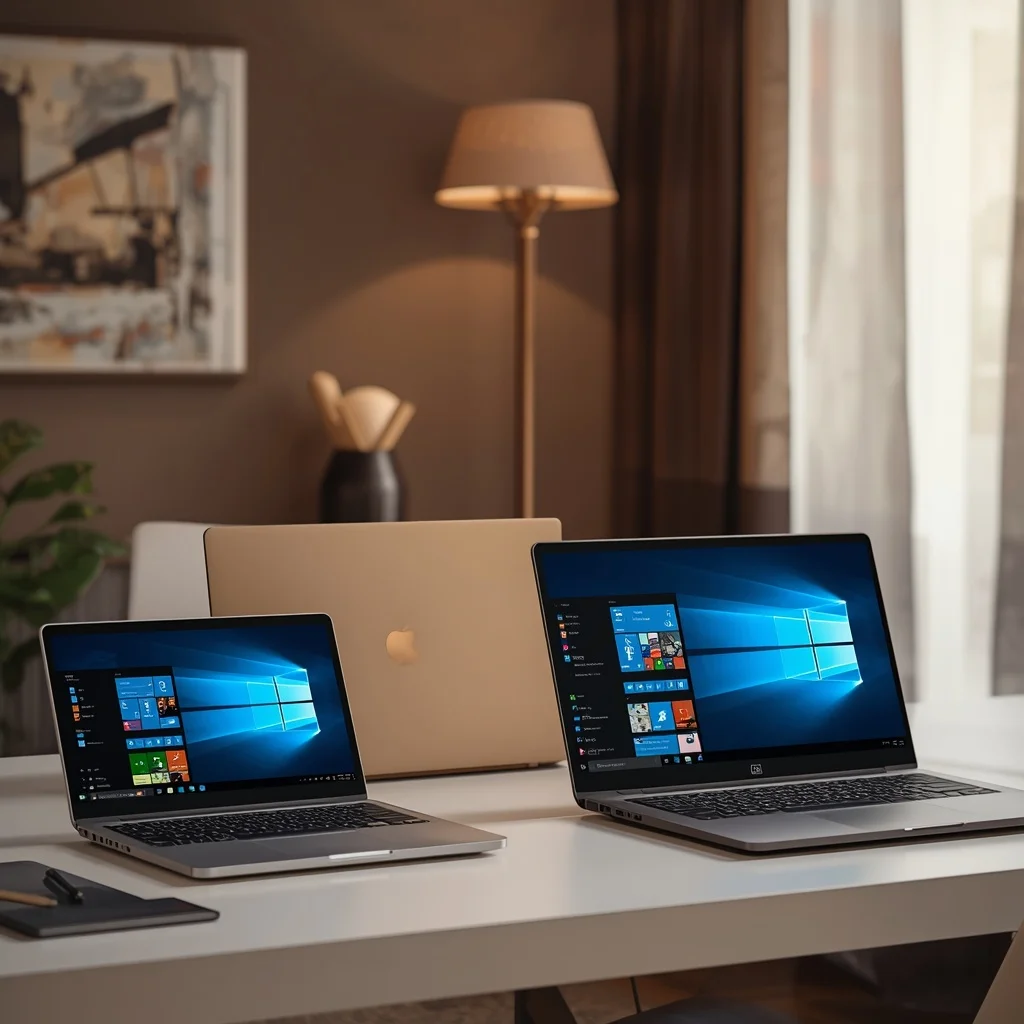
Choosing a laptop for home use does not always mean buying the newest model available. A laptop released in 2025 or an earlier generation can still be a practical choice when it offers the right combination of performance, storage, battery life, display quality, and price.
Older laptop models can also become attractive when retailers discount remaining inventory or when buyers consider certified refurbished devices. However, an older laptop should not be judged only by its original specifications. Processor generation, Windows support, battery condition, storage type, memory, and manufacturer support all matter.
This guide explains how to choose a good home laptop from 2025 and earlier generations and what to check before purchasing an older Windows laptop.
What Should a Home Laptop Handle?
A home laptop is normally used for a mixture of activities rather than one specialized workload.
Common tasks include:
- Web browsing
- Microsoft Office
- Online banking
- Video calls
- Streaming movies and music
- Social media
- Online learning
- Managing photos
- Printing and scanning
- Basic personal finance
- Light photo editing
Because these tasks vary in intensity, you do not necessarily need a high-end laptop.
For basic home use, spending more on a powerful processor or dedicated graphics card may provide little practical benefit. A balanced laptop with a modern-enough processor, sufficient RAM, SSD storage, and a comfortable display can be a better fit.
Are 2025 and Earlier Laptops Still Worth Buying?
Yes, but the condition and specifications matter.
A laptop from 2025 may still have relatively modern hardware, while a much older machine could have limitations involving performance, battery health, storage, ports, or operating-system support.
When comparing older and newer models, consider the entire system rather than its release year alone.
For example, an older premium laptop may have better construction and display quality than a newer entry-level model. On the other hand, a newer budget laptop may offer a more recent processor, newer connectivity, and longer expected software support.
The price difference should therefore be considered alongside the specifications and condition.
Best Types of Home Laptops From Earlier Generations
Different laptop categories can work well for home users.
Everyday Windows Laptops
Mainstream Windows laptops are suitable for browsing, documents, video calls, streaming, and general personal tasks.
Look for:
- SSD storage
- At least 8GB RAM
- A reasonably recent processor
- Full HD display where possible
- Good battery condition
- Working webcam and microphone
Business-Class Laptops
Business laptops from companies such as Lenovo, Dell, and HP can be particularly interesting on the used and refurbished market.
Models from business-oriented product lines often emphasize:
- Durable construction
- Comfortable keyboards
- Repairability
- Business security features
- Port selection
- Professional docking support
However, not every business laptop is suitable for a modern workload. An older model with a very old processor may still feel slow even if the original build quality was excellent.
Premium Consumer Laptops
Premium consumer laptops can offer better displays, speakers, materials, and portability.
If you find an older premium laptop at a significantly reduced price, it can be worth considering. Check the battery, display condition, keyboard, hinges, and charger carefully.
2-in-1 Windows Laptops
A 2-in-1 laptop can be useful if you want a device that works as both a conventional laptop and a tablet.
This design can be convenient for:
- Reading
- Presentations
- Web browsing
- Note-taking
- Watching videos
- Casual creative work
Check whether the included pen, keyboard, or other accessories are actually included with the specific listing.
How Much RAM Does an Older Home Laptop Need?
RAM is one of the first specifications to check.
4GB RAM
4GB is increasingly restrictive for a modern Windows installation and regular multitasking.
A machine with 4GB may work for very light activities, but it is generally not a good target when buying a laptop intended for several more years of use.
8GB RAM
8GB can be suitable for basic home computing.
It can handle activities such as:
- Web browsing
- Office applications
- Streaming
- Online meetings
However, many browser tabs and multiple applications can consume available memory quickly.
16GB RAM
16GB provides more flexibility and is a better target for users who multitask frequently.
It is particularly useful for people who use:
- Many browser tabs
- Large spreadsheets
- Programming tools
- Photo-editing software
- Communication applications
- Multiple productivity applications
If the laptop supports a RAM upgrade, check the maximum supported memory and whether the existing RAM is replaceable or soldered.
SSD vs Hard Drive in Older Laptops
Storage technology can have a major impact on the everyday experience.
Older laptops frequently came with traditional mechanical hard drives. These drives can be slower and more vulnerable to physical damage than SSDs.
An SSD can significantly improve responsiveness by reducing storage-related delays when Windows starts, applications open, or files are accessed.
If an otherwise suitable older laptop still has a mechanical hard drive, check whether it can be replaced with an SSD.
A 256GB SSD may be enough for basic use, while 512GB offers more practical space for many home users.
Processor Generation Matters More Than the Laptop Name
A common mistake is buying an older laptop simply because it has an impressive processor name.
For example, two processors carrying similar branding can belong to completely different generations and have substantially different performance and efficiency.
When shopping for an older laptop, identify the exact processor model and generation.
You should consider:
- Processor generation
- Number of cores
- Performance class
- Power efficiency
- Integrated graphics
- Compatibility with the operating system
- Your actual workload
For ordinary home use, a reasonably modern mid-range processor is usually preferable to an extremely old high-end processor.
Display Quality on Older Laptops
The screen deserves special attention because some older budget laptops were equipped with low-quality displays.
Whenever possible, look for:
- Full HD resolution
- Good brightness
- Comfortable viewing angles
- Adequate contrast
- A suitable screen size
A 13- or 14-inch laptop can be easier to carry, while a 15- or 16-inch model can be more comfortable for documents and multitasking.
If you are buying a used laptop, inspect the screen for:
- Dead pixels
- Bright spots
- Flickering
- Uneven backlighting
- Scratches
- Display pressure marks
Battery Health Is Critical With Older Laptops
Battery condition can be more important than the original battery-life specification.
Lithium-ion batteries naturally lose capacity over time. An older laptop may therefore provide substantially less unplugged runtime than it did when it was new.
When purchasing a used or refurbished laptop, ask about:
- Current battery health
- Battery-cycle count if available
- Typical battery runtime
- Whether the battery has been replaced
- Whether the original charger is included
A laptop with a replaceable battery can be easier to maintain, although replacement availability varies by model.
Windows Compatibility and Software Support
An older laptop should be checked for operating-system compatibility before purchase.
Microsoft publishes requirements and support information for Windows through its official website. You can check the current Windows requirements at Microsoft Support.
This matters because a laptop that cannot officially support a current operating system may become less convenient or secure over time.
Do not assume that every older Windows laptop can simply be upgraded to the newest Windows version.
Refurbished vs Used Laptops
There is an important difference between buying a refurbished laptop and buying one directly from an individual seller.
Refurbished Laptop
A professionally refurbished laptop may have undergone testing, cleaning, component replacement, or other checks before resale.
The exact refurbishment process varies by seller, so read the warranty and condition description carefully.
Used Laptop
A used laptop can be cheaper, but the buyer usually has to inspect more aspects of the device.
Check:
- Battery
- Keyboard
- Trackpad
- Screen
- Ports
- Wi-Fi
- Webcam
- Speakers
- Charger
- Storage health
- Physical condition
If possible, test the laptop before completing the purchase.
Best Laptop Screen Size for Home Use
The right screen size depends on where and how you work.
13 to 14 Inches
Best suited to people who value portability.
A smaller laptop is convenient when moving between rooms or taking the computer outside the home.
15 to 16 Inches
A larger screen can be better for:
- Spreadsheets
- Documents
- Web research
- Entertainment
- Multitasking
If the laptop will mostly stay on a desk, the extra screen space can be useful.
Do Home Users Need a Dedicated Graphics Card?
Usually not.
Integrated graphics are sufficient for many everyday activities, including:
- Web browsing
- Office applications
- Streaming
- Video calls
- Basic image editing
A dedicated GPU is more relevant for gaming, 3D applications, professional video editing, CAD, and other graphics-intensive workloads.
For a simple home laptop, avoiding an unnecessary dedicated GPU can reduce cost, weight, and power consumption.
Ports to Check on an Older Laptop
Older and newer laptops can differ significantly in connectivity.
Before buying, check whether the model has the ports you actually need.
Potentially useful connections include:
- USB-A
- USB-C
- HDMI
- Headphone jack
- SD card reader
- Ethernet
- Charging connector
If you regularly connect a printer, external monitor, USB drive, camera, or other accessories, port availability can become important.
Home Laptop for Students and Online Learning
An older laptop can still work well for students if its hardware meets the requirements of their software.
For basic online learning, prioritize:
- Webcam
- Microphone
- SSD
- 8GB or more RAM
- Reliable Wi-Fi
- Comfortable keyboard
- Good battery condition
Students studying programming, engineering, architecture, media production, or other technical subjects should check the recommended requirements of their specific applications before buying.
Home Laptop for Streaming and Entertainment
If the laptop will primarily be used for Netflix, YouTube, music, browsing, and other entertainment, you do not need workstation-level hardware.
Instead, pay attention to:
- Display quality
- Speakers
- Wi-Fi performance
- Battery life
- HDMI or display output
- Comfortable screen size
A good display can make a bigger difference to entertainment than moving from one mid-range processor to another.
Home Laptop Buying Mistakes to Avoid
Buying the Oldest Cheap Laptop
A low price does not automatically mean good value. Very old hardware can require upgrades or replacement sooner.
Ignoring Battery Condition
A cheap laptop that needs an immediate battery replacement may not remain cheap.
Buying 4GB RAM for Long-Term Use
While it may be sufficient for some limited tasks, 4GB leaves little room for modern multitasking.
Choosing a Hard Drive Without Checking Upgrade Options
If the machine uses a mechanical drive, find out whether an SSD upgrade is possible.
Ignoring Windows Compatibility
An inexpensive laptop that cannot properly support the operating system you need may create problems later.
Focusing Only on Processor Speed
CPU specifications are important, but storage, RAM, display quality, battery condition, and build quality all contribute to the overall experience.
How to Decide Between an Older and Newer Laptop
An older model can make sense when:
- The discount is substantial
- Its processor is still appropriate
- It has an SSD
- It has enough RAM
- Battery health is acceptable
- Windows compatibility is adequate
- The laptop has the ports you need
- Warranty or seller support is reasonable
A newer budget model may be preferable when the older laptop has poor battery health, limited upgrade options, outdated connectivity, insufficient RAM, or questionable software support.
The comparison should therefore be based on condition, specifications, price, and expected useful life, not simply the release year.
Quick Checklist for Buying a 2025 or Earlier Laptop
Before purchasing, verify:
- Exact model number
- Processor model and generation
- RAM capacity
- Whether RAM can be upgraded
- SSD or hard-drive type
- Storage capacity
- Screen resolution
- Screen condition
- Battery health
- Charger availability
- USB and video ports
- Wi-Fi capability
- Webcam and microphone
- Windows compatibility
- Warranty or return policy
- Physical condition
Frequently Asked Questions
Is a 2025 laptop still good for home use?
A 2025 laptop can remain a capable home computer, particularly when its hardware meets your workload. The exact processor, RAM, storage, display, and condition matter more than the year alone.
Is it worth buying an older laptop?
An older laptop can be worthwhile if it is reasonably priced, has suitable hardware, good battery health, and appropriate software support. Very old hardware may not provide the same long-term value.
How much RAM should a home laptop have?
8GB can handle many basic home tasks, while 16GB provides more flexibility for multitasking and longer-term use.
Is an SSD necessary for an older Windows laptop?
An SSD is highly desirable because it can make everyday Windows tasks much more responsive than a traditional mechanical hard drive.
Should I buy a refurbished laptop?
A refurbished laptop can be an option when the seller provides clear information about its condition, testing process, warranty, and return policy.
What should I check first when buying a used laptop?
Start with the exact model and processor, then check RAM, storage, battery health, screen condition, ports, charger, operating-system compatibility, and overall physical condition.
Final Thoughts
Older laptops from 2025 and previous years can still be useful for home computing when chosen carefully. The most important factor is not simply how old the laptop is but whether its hardware, condition, software support, and price make sense for your intended use.
For everyday activities, prioritize a suitable processor, at least 8GB of RAM, SSD storage, a comfortable display, reliable connectivity, and acceptable battery health. If you are considering a used or refurbished model, inspect the physical condition and verify the exact specifications before purchasing.
A carefully selected older laptop can provide a practical home computer without requiring the cost of a premium new model.




Leave a Reply