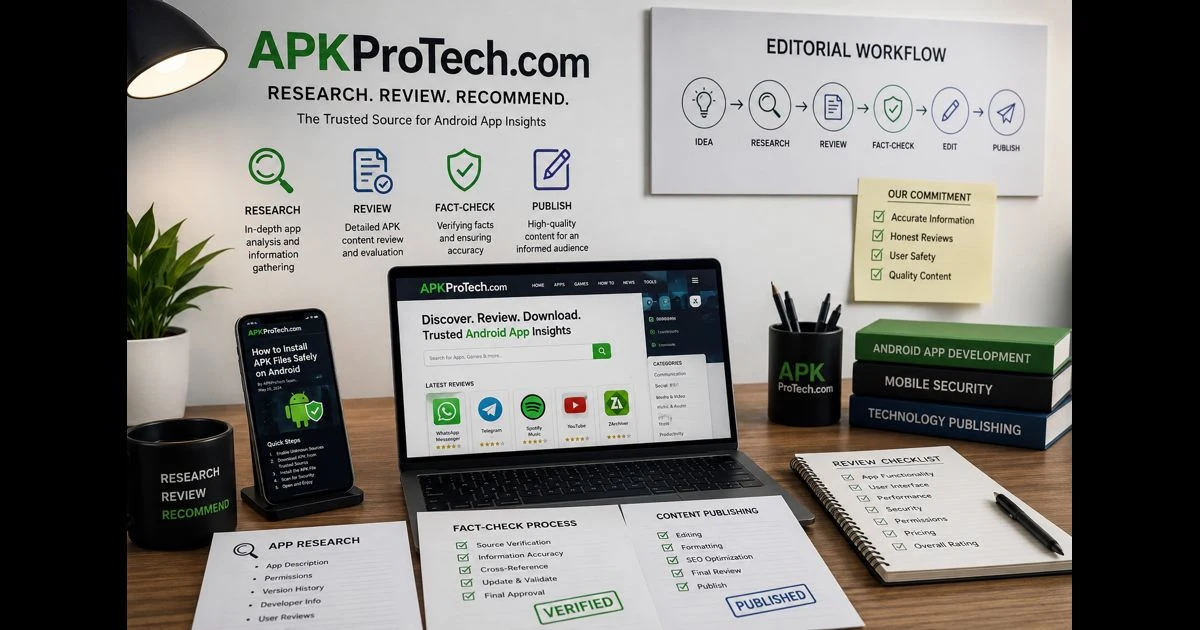
APKProTech is an informational resource covering Android applications, APK files, mobile compatibility, app permissions, and responsible software-use practices. It is intended to help readers understand Android-related concepts and assess app information more carefully.
APKProTech is not a downloadable APK-management program, antivirus application, or official Android utility. This page does not offer an APKProTech app or software download. The name refers to the website’s informational technology coverage rather than a product that installs, scans, optimizes, or manages applications on a device.
What APKProTech Covers
APKProTech focuses on educational content related to Android software and the wider mobile technology ecosystem. Its coverage may include:
- Android application guides
- APK terminology and file-format explanations
- App permissions and privacy considerations
- Android compatibility requirements
- Mobile security concepts
- Software updates and app features
- Responsible installation practices
- Broader mobile technology developments
The purpose of this content is to give readers useful context. An informational article can explain an application’s stated purpose, documented features, compatibility requirements, and possible limitations. It cannot independently guarantee the safety, reliability, or performance of a third-party application.
What Is an APK File?
An APK is the installable package format used for Android applications. According to Android’s official documentation, an Android package is an archive file with the .apk extension that contains the application components required at runtime.
An APK may contain:
- Compiled application code
- Images and interface resources
- Configuration files
- An Android manifest
- Supporting libraries
- Digital signing information
Installing a valid APK can add the packaged application to a compatible Android device after the user approves the installation.
The APK extension alone does not establish whether a file is authentic, safe, current, or appropriate for a particular device. Two files can both use the .apk extension while coming from different publishers and containing entirely different code.
APK Files and Android App Bundles
APK files and Android App Bundles are related, but they are not interchangeable.
An APK is an installable package used by Android devices. An Android App Bundle, identified by the .aab extension, is primarily a publishing format used by developers.
When an app is distributed through Google Play using an App Bundle, Google Play can generate optimized APKs for different device configurations. This allows a device to receive the code and resources it requires without necessarily downloading every component created for other devices.
An App Bundle is not normally installed directly on an Android device. It is submitted through a supported distribution process that generates the necessary APK files.
For everyday users, the important distinction is that an APK can be installed on a compatible Android device, while an App Bundle is generally used by developers during publication and distribution.
Why Android App Compatibility Varies
No Android application should be described as compatible with every device unless that claim is supported by extensive testing and reliable developer documentation.
Compatibility may depend on:
- Android version
- Device architecture
- Screen size and resolution
- Available memory and storage
- Required hardware features
- App version
- Target API level
- Regional availability
- Manufacturer-specific Android changes
- Dependencies on Google Play services
- Restrictions established by the developer
An application that works correctly on one phone may not install or behave identically on another. Android’s official app compatibility guidance explains that platform updates can introduce behavior, privacy, and security changes that affect applications.
Users should check the app developer’s official listing or documentation for current requirements instead of relying on broad statements about universal compatibility.
Understanding Android App Permissions
Android permissions allow an application to access certain device features or information. Depending on its purpose, an app may request access to:
- Camera
- Microphone
- Location
- Contacts
- Notifications
- Photos and videos
- Nearby devices
- Files or other stored information
A permission request is not automatically harmful. A navigation app, for example, may reasonably require location access. A video-calling app may require camera and microphone access.
The important question is whether the requested access is relevant to the application’s stated purpose.
Before granting a permission, consider:
- Whether the app needs that permission for its main function
- Whether access is required continuously or only while the app is open
- Whether the developer clearly explains why access is needed
- Whether optional permissions can be declined
- Whether the requested permissions changed after an update
- Whether the request appears excessive for the type of app
Permissions should always be evaluated in context. An application requesting information unrelated to its apparent function deserves closer examination.
Why APK Signing Matters
Android requires APK files to be digitally signed before they can be installed or updated. A signing certificate helps Android identify whether an update is connected to the application already installed on the device.
The official Android app-signing documentation explains that all APKs must be signed with a certificate before installation or updating.
However, the presence of a digital signature does not prove that an application is safe or legitimate. Harmful, misleading, or poorly designed applications can also be signed.
Signing becomes more useful when the certificate can be compared with a previously verified version or information supplied by the legitimate developer. If an update uses a different signing certificate from the installed application, Android will normally reject it as an update to that app.
Users should not rely on a filename, app icon, or digital signature alone when determining whether an APK is trustworthy.
How to Evaluate an APK Source
Installing software from outside an official app store can create additional uncertainty. Before downloading an APK, users should examine the source presenting the file and the developer responsible for the application.
Identify the Actual Developer
Confirm the individual or organization responsible for creating and maintaining the app. A website that publishes an article about an application is not necessarily the application’s developer or official distributor.
Developer details should be consistent across the official website, app-store listing, privacy information, documentation, and support channels.
Prefer an Official Distribution Channel
When an app is available through Google Play or the developer’s confirmed website, that source generally provides clearer information about the publisher, version, compatibility, update history, and installation process.
A page should not be treated as official merely because it uses words such as “official,” “secure,” “trusted,” or “verified.” These descriptions need supporting evidence.
Check the App Version
Review the application version, release information, Android requirement, and update history. An APK may be genuine but outdated, unsupported, or incompatible with a particular device.
Old applications can also depend on features or services that are no longer available.
Be Careful With Modified APKs
Descriptions such as “mod,” “premium unlocked,” “unlimited,” or “patched” generally indicate that a file has been altered from the developer’s original version.
Modifications can affect:
- Application code
- Signing certificate
- Requested permissions
- Update compatibility
- Account security
- Advertisements or payment features
- Communication with external servers
A modified app should not be assumed safe simply because its advertised features appear attractive.
Review the Installation Information
Android provides information before an app is installed. Stop the process if the app name, icon, requested permissions, or expected function does not match the file you intended to obtain.
Unexpected warnings or requests should be investigated rather than ignored.
Keep Device Protection Enabled
Google Play Protect checks applications and Android devices for potentially harmful behavior. It can also examine apps obtained from sources outside Google Play.
Depending on what it detects, Play Protect may:
- Display a warning
- Prevent an installation
- Disable an application
- Recommend uninstalling an app
- Remove software identified as harmful
- Alert users about certain privacy concerns
A clean scan can reduce uncertainty, but it does not provide an absolute guarantee. The developer, distribution source, permissions, signing information, version, and observed behavior should still be considered.
A Practical Pre-Installation Checklist
Before installing an Android application, check the following:
- Confirm the app’s exact name and developer.
- Look for the developer’s official website or verified app-store listing.
- Check whether the version and Android requirements match your device.
- Avoid files with an unclear origin or modification history.
- Review the requested permissions before approving them.
- Keep Google Play Protect and Android security features enabled.
- Avoid disabling security warnings simply to complete an installation.
- Back up important information before testing unfamiliar software.
- Do not enter passwords or payment details into an unverified app.
- Remove the application if its behavior differs substantially from its description.
- Obtain future updates through a legitimate and consistent distribution channel.
These checks cannot eliminate every possible risk, but they provide a more dependable approach than trusting promotional descriptions alone.
What an Informational Article Can Establish
An Android app article can accurately present information supported by reliable evidence, including:
- Features documented by the developer
- Compatibility listed on an official store page
- Permissions displayed by Android
- Changes recorded in official release notes
- Installation concepts documented by Android
- Limitations identified through a clearly described test
- Regional or device requirements stated by the publisher
An article should distinguish between confirmed information, observations, and assumptions.
For example, an app’s official description can establish what the developer says the app is designed to do. It does not independently prove that every feature works perfectly on every device.
Claims That Require Evidence
Certain claims should not be presented without verifiable support. These include:
- Guaranteed protection from malware
- Compatibility with every Android device
- Claims that every available file has been manually verified
- Unsupported performance or efficiency percentages
- Invented customer experiences
- Unverified security testing
- Fictional business case studies
- Claims about a support team that has not been established
- Comparisons based on unnamed competitors or undefined criteria
A meaningful product comparison requires identifiable products, consistent criteria, current information, and a transparent testing or research method. Simply describing one option as “advanced” and another as “basic” does not provide reliable evidence.
Similarly, security should not be reduced to promotional terms such as “completely safe” or “malware-free.” A responsible security assessment requires evidence about the specific file, its source, code, signature, permissions, and behavior.
How APKProTech Helps Readers
APKProTech helps readers understand the terminology and practical considerations surrounding Android applications. This may be useful when someone is:
- Researching an unfamiliar app
- Trying to understand an APK file
- Reviewing app permissions
- Investigating a compatibility problem
- Comparing information with a developer’s documentation
- Learning how Android distributes and updates applications
- Evaluating claims made about mobile software
The website’s role is educational. It does not replace an application developer, an official distribution platform, Android’s built-in security features, or a professional technical examination of a specific file.
Frequently Asked Questions
Is APKProTech an Android application?
No. APKProTech is an informational technology resource, not an Android application or APK-management tool.
Does this page provide an official APKProTech download?
No. This page does not provide an APKProTech software or application download.
Does APKProTech manage APK files?
No. APKProTech publishes educational information about APK files and Android applications. It does not install, scan, organize, optimize, or manage files on a user’s device.
Does APKProTech guarantee that an APK is safe?
No. The safety of an APK cannot be guaranteed solely through a written description. Its source, developer, signing information, permissions, code, and behavior must be considered.
Is every APK compatible with every Android device?
No. Compatibility can vary according to the Android version, device architecture, hardware, app version, required services, region, and developer requirements.
Where should Android applications be downloaded?
Use the application developer’s official distribution channel whenever possible. For many apps, this will be a verified Google Play listing. If a developer distributes an APK directly, confirm the website and publisher before downloading it.
Can APKProTech replace Google Play Protect?
No. APKProTech provides information, while Google Play Protect is a device-level security service provided by Google.
Where can users obtain support for a particular app?
Questions about an app’s account, subscription, functionality, or technical problems should be directed to the application’s actual developer through its official support channel.
Final Thoughts
APKProTech provides informational coverage of Android applications, APK files, compatibility, permissions, app signing, mobile security, and related technology subjects. It should be understood as an educational resource rather than a downloadable application or APK-management solution.
Accurate Android guidance depends on clear distinctions. An article is not a security scan, an APK extension is not proof of safety, a hosting page is not automatically an official source, and an application cannot be assumed to work on every device.
By checking the actual developer, using legitimate distribution channels, reviewing permissions, confirming compatibility, and keeping Android’s security protections enabled, users can make better-informed decisions about the applications they install.