
Checking an APK’s architecture helps determine whether its native code is compatible with a particular Android device. The most reliable approach is to inspect the APK itself and then compare its supported Android Application Binary Interfaces (ABIs) with those supported by the device.
The APK and the device must be checked separately. A command that reports the phone’s processor architecture does not reveal which architectures are included inside an APK.
What APK Architecture Means
“APK architecture” commonly refers to the Android ABIs supported by the native libraries packaged with an application.
Android applications can contain compiled C or C++ libraries, usually stored as .so files. Each native library is built for a particular ABI and placed inside an ABI-specific directory in the APK.
The principal Android ABI directory names are:
| ABI | Architecture |
| armeabi-v7a | 32-bit ARM |
| arm64-v8a | 64-bit ARM |
| x86 | 32-bit x86 |
| x86_64 | 64-bit x86 |
These exact names matter. Generic labels such as “ARM” or “ARM64” are useful in conversation, but the directory names above are what normally appear inside an APK.
The Difference Between APK ABI and Device ABI
Two separate checks are involved when evaluating compatibility:
- APK ABI: The native architectures included in the APK file.
- Device ABI: The architectures that the Android device can run.
For example, the following ADB command checks the connected device:
adb shell getprop ro.product.cpu.abilist
It may return a list similar to:
arm64-v8a,armeabi-v7a
That output describes the device’s supported ABIs. It does not inspect an APK file.
The commonly used command below also checks the device rather than the APK:
adb shell getprop ro.product.cpu.abi
It normally reports the device’s preferred or primary ABI. The abilist property is more useful when you need to see every ABI reported by the device.
Check APK Architecture With Android Studio
Android Studio’s APK Analyzer provides a clear way to inspect an APK without installing it.
- Open Android Studio.
- Select Build > Analyze APK.
- Choose the APK file.
- Expand the lib directory in the file tree.
- Note the ABI-named folders inside it.
An APK might contain a structure such as:
lib/
├── arm64-v8a/
│ └── libexample.so
└── armeabi-v7a/
└── libexample.so
This APK includes native libraries for both 64-bit ARM and 32-bit ARM environments.
If the APK contains only:
lib/
└── arm64-v8a/
its packaged native code targets arm64-v8a. A device that supports only an incompatible ABI cannot load those native libraries.
Android Studio also allows you to inspect the manifest, DEX files, resources and other components. Google’s APK Analyzer documentation explains the available inspection features.
Check APK Architecture From the Command Line
Developers who have the Android SDK Command-Line Tools installed can use apkanalyzer.
Run:
apkanalyzer files list app.apk
Replace app.apk with the name or path of the APK being inspected.
The command lists the files and directories contained in the package. Look for entries beginning with paths such as:
/lib/arm64-v8a/
/lib/armeabi-v7a/
/lib/x86/
/lib/x86_64/
Every ABI directory found under /lib/ represents an architecture for which that APK includes native libraries.
The apkanalyzer utility is included in the Android SDK Command-Line Tools. Its location is generally:
android_sdk/cmdline-tools/version/bin/apkanalyzer
Further command details are available in the official apkanalyzer reference.
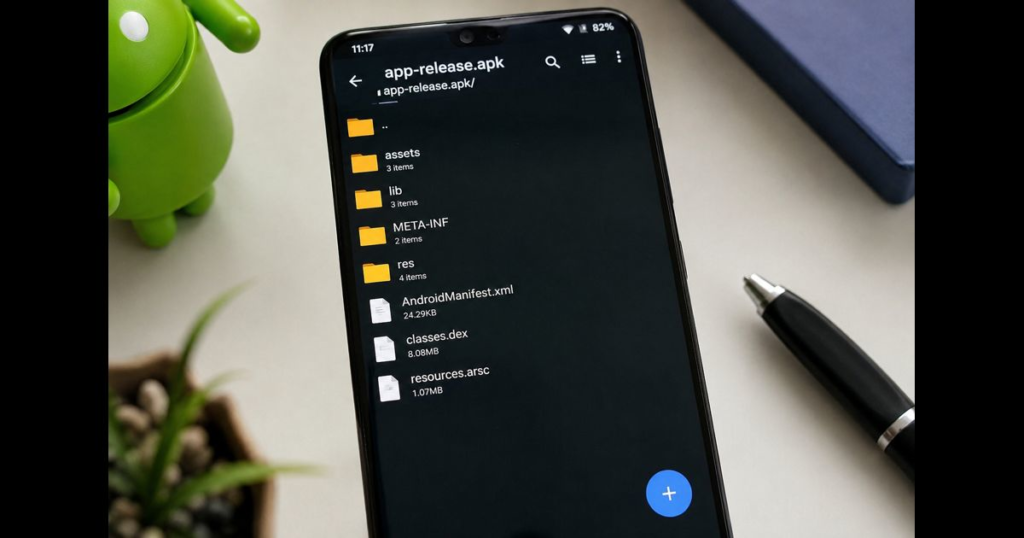
Inspect the APK as an Archive
An APK follows the ZIP file format, so an archive-listing utility can display its contents without installing it.
On systems with the unzip utility, use:
unzip -l app.apk
Review the output for paths under lib/. For a shorter result on macOS or Linux, the output can be filtered:
unzip -l app.apk | grep “lib/”
This approach examines only the archive’s contents. It does not verify the source, signature or safety of the APK.
Avoid editing, deleting or moving files inside the archive. Changing the contents invalidates the APK’s existing signature and can prevent installation.
What If the APK Has No lib Folder?
An APK without a lib directory may contain no packaged native libraries. Its application code may rely on DEX bytecode and Android framework APIs rather than ABI-specific .so files.
In that situation, assigning the APK a native architecture solely from its DEX files would be misleading. Compatibility may instead depend on factors such as:
- Minimum Android version
- Required device features
- Screen or hardware requirements
- Application manifest settings
- How the APK was produced and distributed
The absence of a lib folder does not prove that an application will work on every Android device.
How to Compare the APK With a Device
Use this process to evaluate native ABI compatibility:
- Inspect the APK’s lib directory.
- Record every ABI folder found.
- Check the device with:
adb shell getprop ro.product.cpu.abilist
- Confirm that at least one ABI appears in both results.
For example:
| APK libraries | Device ABI list | Native ABI match |
| arm64-v8a | arm64-v8a, armeabi-v7a | Yes |
| armeabi-v7a | arm64-v8a, armeabi-v7a | Yes |
| x86 | arm64-v8a, armeabi-v7a | No |
| No native libraries | arm64-v8a, armeabi-v7a | No native ABI comparison required |
A matching ABI confirms only that the device can potentially load the APK’s packaged native libraries. It does not guarantee installation because Android version, signing, package conflicts and other requirements can still affect the result.
Universal and Architecture-Specific APKs
An architecture-specific APK packages native libraries for one ABI, such as arm64-v8a.
A universal APK may contain native libraries for multiple ABIs. It can support a broader range of devices, although packaging several versions of the same native libraries can increase the file size.
Some applications are distributed as split APKs rather than one self-contained APK. In that model, the base APK and configuration APKs work together, and an ABI-specific split may contain the native libraries. Inspecting only the base APK may therefore provide an incomplete picture.
A file with an .apks, .xapk or similar extension is not necessarily a single installable APK. It may be an archive containing a base APK and multiple configuration packages.
Common Installation Problems
INSTALL_FAILED_NO_MATCHING_ABIS
This error generally means Android could not find native libraries compatible with the device’s supported ABIs.
Check the APK’s lib folders and compare them with the device’s ABI list. Obtain the correct build from the application’s legitimate distribution source rather than modifying the APK.
APK Does Not Contain the Expected ABI
Make sure you inspected the complete package. If the application uses split APK delivery, the required native libraries may be located in an ABI-specific configuration APK.
APK Has a Matching ABI but Still Will Not Install
Architecture is only one compatibility factor. Other possible causes include:
- The device runs an unsupported Android version.
- The APK is incomplete or damaged.
- An installed version has a conflicting signature.
- A required split APK is missing.
- The package is not validly signed.
- Device policy blocks the installation.
Do not assume that every installation failure is caused by architecture.
Does a 64-Bit APK Always Perform Better?
No. An arm64-v8a build is designed for a 64-bit ARM environment, but the ABI name alone does not establish that an application will run faster.
Performance depends on the application’s code, native libraries, workload, compiler configuration, memory use and the device itself. Architecture should primarily be treated as a compatibility requirement unless application-specific testing demonstrates a performance difference.
Frequently Asked Questions
How do I check an APK’s architecture?
Open the APK in Android Studio’s APK Analyzer or list its contents with apkanalyzer files list. ABI-specific native libraries appear under lib/<abi>/ directories.
Does adb shell getprop ro.product.cpu.abi check the APK?
No. It reports the connected device’s primary ABI. It does not inspect an APK file.
Which command shows all ABIs supported by a device?
Use:
adb shell getprop ro.product.cpu.abilist
The reported list can then be compared with the APK’s lib directories.
What does arm64-v8a mean?
arm64-v8a is Android’s ABI name for 64-bit ARM native code.
Can an APK support more than one architecture?
Yes. A single APK can contain separate native-library directories for multiple ABIs. Architecture-specific libraries may also be delivered through split APKs.
Is an APK architecture-independent if it has no lib folder?
It may have no packaged ABI-specific native libraries, but that does not guarantee universal device compatibility. Android version, required features and other package requirements must still be considered.
Can renaming an APK reveal its architecture?
Changing the extension does not determine its architecture. An APK can be inspected as a ZIP-format archive, but the useful evidence is the directory structure inside it, especially the lib/<abi>/ paths.
Final Check
To check APK architecture accurately, inspect the APK’s own lib directory rather than relying on device-information commands. Use APK Analyzer or apkanalyzer to identify its packaged ABIs, use ADB separately to obtain the device’s supported ABI list, and then compare the two results.
This method avoids confusing the phone’s architecture with the native architectures actually included in the application package.








Leave a Reply