
App quality is often compressed into a single star score. That is convenient, but it does not reveal who developed the app, whether the current version suits a particular device, how its permissions are used, or where its installation file originated.
APKProTech.com is a technology publication focused on Android applications, APK knowledge, mobile compatibility, and software-use guidance. It does not operate an app store, host an APK library, or assign proprietary ratings to applications. Its useful role is to help readers examine the evidence behind app-related claims rather than accept labels such as “best,” “official,” or “secure” at face value.
A careful evaluation brings several details together: publisher identity, version history, distribution source, technical integrity, device requirements, permissions, privacy practices, and informed user feedback. No single signal can replace that wider assessment.
What an App Rating Can Reveal
Ratings provide a quick indication of how a group of users responded to an application. When supported by a substantial number of detailed and recent reviews, they can highlight recurring strengths or frustrations.
They may draw attention to:
- Ease of use
- Stability during everyday tasks
- Advertising frequency
- Subscription concerns
- Missing or unreliable features
- Battery and storage demands
- Problems introduced by an update
- Differences between the advertised and actual experience
These observations can be valuable, but they remain experience-based. A favorable score does not confirm file authenticity, technical security, responsible data handling, or universal compatibility.
The value of a rating depends on its context. A score based on thousands of current responses carries different weight from one based on a small or outdated sample. Reviews written for an earlier release may no longer describe the version available today.
Quality Begins With Publisher Identity
Before considering popularity, establish who is responsible for the application.
A recognizable name or familiar icon is not enough. Copycat applications can imitate branding, descriptions, screenshots, and interface elements. Reliable publisher identification may require comparing several details:
- Developer or company name
- Official website
- Application ID
- Store listing
- Privacy policy
- Published contact information
- Signing certificate
- Release history
These details should form a consistent identity. Major inconsistencies deserve closer examination, particularly when an application requests access to personal information, financial accounts, messages, files, or device controls.
The website discussing an app should also be distinguished from the developer distributing it. An article can explain an application without being its official source, publisher, or support provider.
Version Context Changes the Assessment
Android applications develop over time. Features are added, permissions change, compatibility requirements move forward, and previously reported problems may be fixed or replaced by new ones.
For this reason, an assessment should identify the version it describes. Android uses a version code and version name for different purposes, and both can help distinguish one release from another.
Version context matters when examining:
- User reviews
- Installation instructions
- Required Android version
- Permission changes
- Security reports
- Release notes
- File size
- Device compatibility
- Subscription or advertising behavior
A review that accurately described an earlier release should not automatically be applied to the current one. Likewise, a previous clean result cannot guarantee that every later version remains unchanged.
Technical Integrity Requires Verifiable Evidence
Words such as “verified” and “secure” are meaningful only when the underlying check is identified. Different technical checks answer different questions.
APK Signature
Android applications must be digitally signed. An APK signature can help establish whether a file is signed consistently with a known version of the same application.
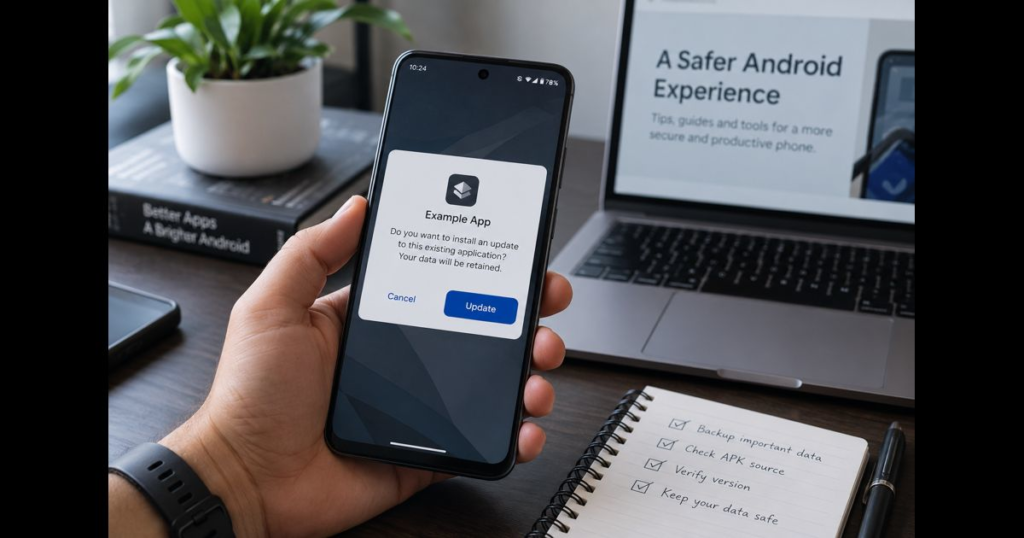
This is particularly relevant when an installed app is being updated. If the application ID remains the same but the signing certificate changes unexpectedly, Android will normally reject the file as an update.
A valid signature does not prove that an app is harmless. It establishes information about signing identity and continuity. Its value increases when the certificate can be compared with an authoritative version supplied by the legitimate developer.
File Checksum
A SHA-256 checksum provides a distinctive fingerprint for a file. If two files produce the same SHA-256 value, they are identical at the binary level.
That comparison is useful only when the reference checksum comes from a dependable source. A matching value cannot establish authenticity if both the APK and the published checksum originate from the same unverified page.
A checksum can confirm that a file has not changed from a known reference. It does not independently evaluate the safety or quality of the code inside it.
Security Scanning
A malware scan can identify certain known threats or suspicious patterns, but its conclusion applies to the specific file examined under the conditions of that test.
A responsible testing statement should identify:
- The exact file and version
- The testing method
- The tool or service used
- The result
- The limits of the analysis
APKProTech.com does not claim that every APK discussed in its articles has passed malware testing. Without a documented file-specific assessment, broad guarantees such as “completely safe” or “malware-free” would be unsupported.
Compatibility Must Be Specific
Android runs across a wide range of phones, tablets, televisions, foldable devices, and manufacturer interfaces. Applications therefore cannot be assumed to work identically across every device.
A compatibility problem may be connected to:
- Android version
- Processor architecture
- Screen configuration
- Available storage or memory
- Required hardware
- Regional availability
- Google Play services
- Manufacturer restrictions
- Target API level
- Missing package components
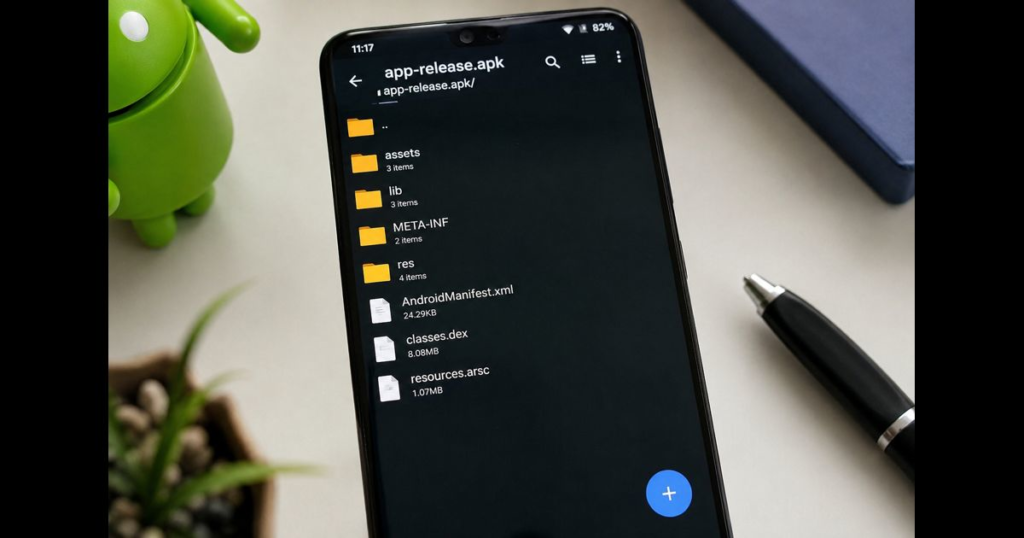
The package itself also matters. Different APK file formats can have different structures and installation requirements. A split package missing one of its required components may fail even when the underlying app supports the device.
Useful compatibility information should identify the relevant app version, device conditions, and technical requirements. “Works on all Android devices” is too broad to be reliable without extensive supporting evidence.
Permissions Should Match the App’s Purpose
Permissions allow Android applications to use particular device features or access certain categories of information. A navigation app may need location access, while a video-calling app may require the camera and microphone.
The presence of a permission is not automatically a warning sign. Its relevance, timing, and scope matter more.
A considered review asks:
- Does the permission support a feature the user requested?
- Is access needed continuously or only while the app is in use?
- Can optional access be declined?
- Has the developer explained why the information is required?
- Did the permission list expand after an update?
- Can access be withdrawn without disabling the app’s essential purpose?
Permissions that appear unrelated to the application’s function deserve a clear explanation. Users should be especially careful when unfamiliar software requests access to messages, accessibility services, financial information, device administration, or authentication codes.
Privacy Is a Practice, Not a Guarantee
Privacy cannot be established through a reassuring label. It depends on what information an app collects, why it is collected, how long it is retained, where it is processed, and whether it is shared with other organizations.
A privacy policy is an important reference, but it is primarily a statement from the developer. Readers should compare that statement with the app’s observable permissions and functions.
A useful privacy review considers:
- The information required to use the app
- Optional and mandatory data collection
- Third-party sharing
- Advertising and analytics services
- Account-deletion options
- Data-retention explanations
- Security practices described by the developer
- Regional differences in available controls
APKProTech.com cannot guarantee the data practices of third-party applications. Privacy decisions should be based on the relevant developer’s disclosures, the access requested by the app, and the user’s own requirements.
Reviews Are Most Useful When Read Closely
A written review often provides more value than its accompanying star score. Detail helps readers determine whether the experience is relevant to their own situation.
The most informative reviews tend to identify:
- The feature being evaluated
- The app version
- The device or Android version
- The circumstances in which a problem occurred
- Whether troubleshooting was attempted
- Whether the developer resolved the issue
Patterns are more informative than isolated reactions. Several detailed reports describing the same failure may indicate a genuine issue, while one brief complaint may reflect a device-specific problem or misunderstanding.
Positive reviews deserve the same scrutiny. Repetitive, vague, or unusually promotional comments provide little practical evidence even when they award the highest score.
Ratings should inform judgment, not replace it.
Popularity and Safety Measure Different Things
An app can be popular without meeting every user’s privacy, compatibility, or reliability requirements. It can also receive positive feedback while a modified copy circulating elsewhere presents an entirely different risk.
Download counts and ratings relate primarily to visibility and user response. Safety assessment focuses on the exact file, publisher, source, permissions, signing information, and behavior.
This distinction is especially important with modified applications. Labels such as “premium unlocked,” “patched,” or “unlimited” usually indicate that the package has been altered from the developer’s original release. Those changes may affect code, permissions, signing identity, updates, account access, or network behavior.
A rating attached to the original application cannot be transferred automatically to a modified file.
A Disciplined App-Evaluation Process
A practical assessment can be completed in a clear sequence.
1. Establish the Publisher
Confirm the developer through consistent information from recognized channels. Check the company name, application ID, official website, and published documentation.
2. Identify the Exact Version
Make sure reviews, technical information, compatibility notes, and security results apply to the version being considered.
3. Confirm the Distribution Source
Determine whether the file comes from the developer or an authorized platform. An informational article should not be mistaken for an official download page.
4. Examine Permissions
Compare requested access with the application’s genuine functions. Investigate anything that appears unnecessary or unusually broad.
5. Review Technical Identity
Where appropriate, compare signing information and checksums with dependable reference values.
6. Check Compatibility
Confirm Android version, processor architecture, hardware requirements, regional availability, and package structure before installation.
7. Read Recent, Detailed Reviews
Look beyond the average score. Focus on repeated patterns that apply to the current version and a comparable device.
8. Keep Android Protections Enabled
Google Play Protect checks applications and Android devices for potentially harmful behavior, including software obtained from outside Google Play. Security warnings should be investigated rather than disabled merely to complete an installation.
9. Monitor the App After Installation
Unexpected battery use, unexplained background activity, unfamiliar notifications, new permission requests, or behavior inconsistent with the app’s purpose should be taken seriously.
The Role of APKProTech.com
APKProTech.com publishes explanatory content about Android applications, APK files, compatibility, permissions, software versions, and mobile security concepts.
Its articles can help readers understand technical language, examine app-related claims, recognize the limits of ratings, and identify details that deserve further verification.
Readers should not expect a hosted download catalog, proprietary app rankings, user-generated review system, community forum, or dedicated support desk for third-party applications. Account problems, subscriptions, payments, feature requests, and app-specific technical issues remain the responsibility of the relevant developer.
This editorial scope allows APKProTech.com to concentrate on clear explanations rather than presenting itself as an app marketplace or security-certification service.
Frequently Asked Questions
Does APKProTech.com assign ratings to Android apps?
No. APKProTech.com does not operate a proprietary rating system. Any external rating discussed in an article should be attributed to its actual source.
Does APKProTech.com host APK files?
APKProTech.com is an informational publication rather than an APK-download library.
Are applications reviewed by an APKProTech.com community?
The website does not provide a user-generated app-rating or community-review system.
Does a five-star rating confirm that an app is secure?
No. Ratings describe user sentiment. They do not verify source authenticity, code, signing identity, permissions, privacy practices, or security.
Does APKProTech.com guarantee data privacy?
No. Privacy practices are controlled by the developer of the application. Readers should examine the relevant privacy disclosures and requested permissions.
Where should app-specific support questions be sent?
Account, payment, subscription, and technical-support questions should be directed to the application’s developer through an official support channel.
Final Perspective
A strong app assessment is built from evidence, not labels. Ratings can contribute useful information, but only when their source, scale, relevance, and version context are understood.
Publisher identity, distribution source, permissions, technical integrity, compatibility, privacy disclosures, and detailed user experiences each reveal a different part of the picture. Considering them together produces a more reliable judgment than relying on a star score or promotional claim alone.
APKProTech.com supports that process through clear Android and APK education. Its value lies in helping readers ask better questions, interpret technical details, and approach mobile software with informed judgment.






Leave a Reply